


Video Enhancer
AI video quality enhancement for improving clarity, resolution, and visual fidelity.
Input
Mode
Strength
Scene
 General
 AIGC
AIGC Old Film
 Short Series
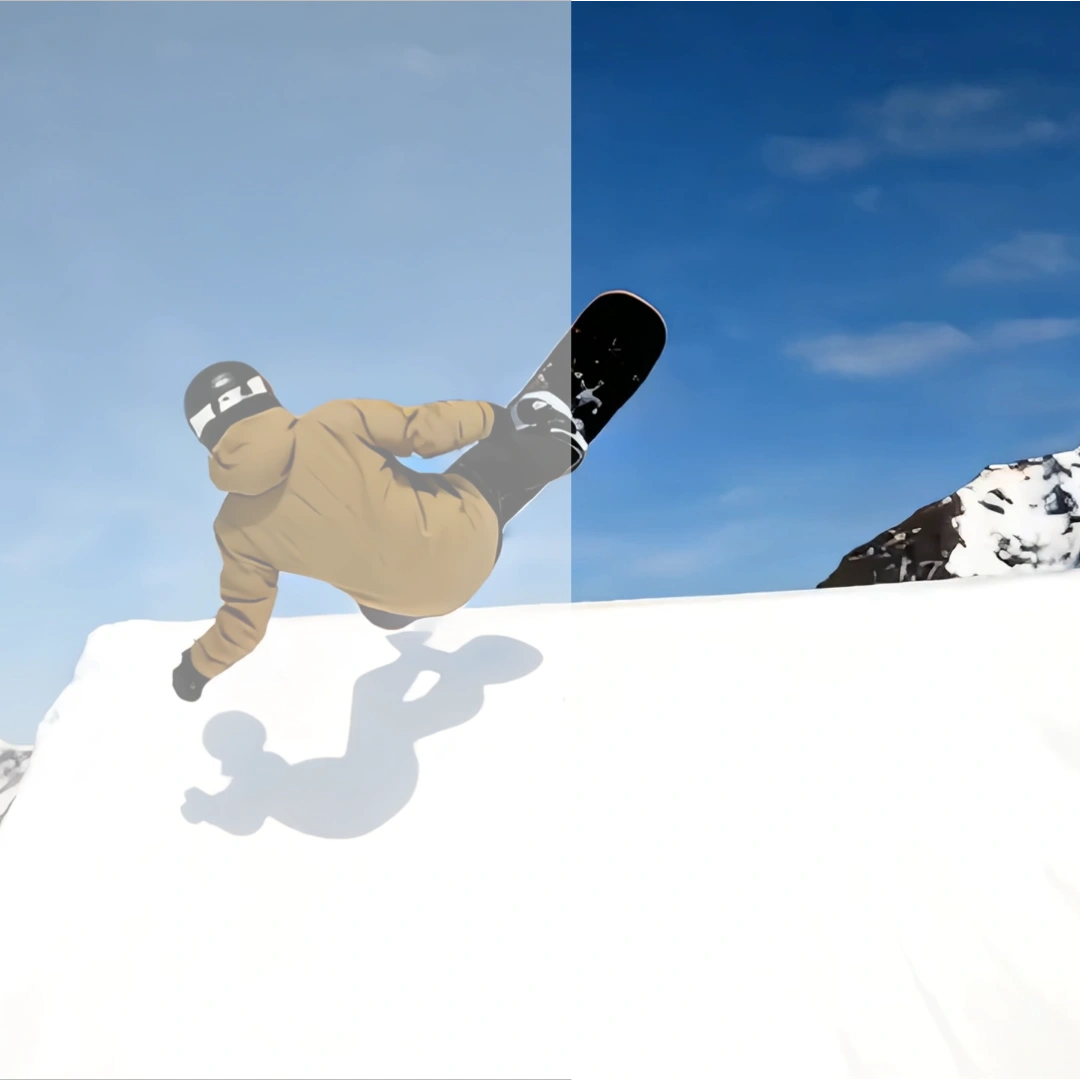 Social Video
Resolution
FPS
Result
View History| Model & Modality | Credits / Gen | Our Price (USD) | Official Price (USD) | DISCOUNT |
|---|---|---|---|---|
video-enhancer, 720p-up to 30fps, standard videoCrun | 0.5 per second | $0.0022 | N/A | N/A |
video-enhancer, 720p-over 30fps, 1080p-up to 30fps, standard videoCrun | 1 per second | $0.0045 | N/A | N/A |
video-enhancer, 1080p-over 30fps, 2k-up to 30fps, standard videoCrun | 2 per second | $0.0089 | N/A | N/A |
video-enhancer, 2k-over 30fps, 4k-up to 30fps, standard videoCrun | 4 per second | $0.0179 | N/A | N/A |
video-enhancer, 4k-over 30fps, standard videoCrun | 8 per second | $0.0357 | N/A | N/A |
video-enhancer, 720p-up to 30fps, pro videoCrun | 5 per second | $0.0223 | N/A | N/A |
video-enhancer, 720p-over 30fps, 1080p-up to 30fps, pro videoCrun | 10 per second | $0.0446 | N/A | N/A |
video-enhancer, 1080p-over 30fps, 2k-up to 30fps, pro videoCrun | 20 per second | $0.0893 | N/A | N/A |
video-enhancer, 2k-over 30fps, 4k-up to 30fps, pro videoCrun | 40 per second | $0.1786 | N/A | N/A |
video-enhancer, 4k-over 30fps, pro videoCrun | 80 per second | $0.3571 | N/A | N/A |
AI Video Enhancer: Transform Blurry Footage into Stunning 4K
Enhance, denoise, and upscale your videos instantly with the power of multiple AI engines. Whether you’re a creator looking for a one-click fix or a developer seeking a powerful API, Crun delivers professional-grade video restoration in seconds.
AI Video Enhancer vs Traditional Video Enhancement: What's the Difference?
AI-powered video enhancement is faster, more precise, and easier to use compared to traditional methods, which often require manual adjustments. The table below highlights the key differences, helping you choose the best option for improving your video quality.
| Comparison | AI Video Enhancer | Traditional Video Enhancement |
|---|---|---|
Enhancement Quality | Quickly boosts video quality, automatically removes blur, noise, enhances colors, and details. | Relies on manual adjustments, often requires multiple steps and human intervention. |
Processing Speed | Ultra-fast processing, completing enhancements in just a few minutes. | Takes longer, often requiring professional software and more complex processing. |
User Experience | Simple and easy-to-use, users only need to upload the video and select enhancement options; AI handles the rest. | Requires expertise, users need to manually adjust each setting and know video editing tools. |
Video Quality | Automatically improves clarity, contrast, and even supports 4K resolution output. | Limited improvement, hard to match the precision and completeness of AI enhancements, and hard to support high resolutions. |
Versatility | Offers a wide range of enhancements: noise reduction, detail recovery, color enhancement, brightness adjustment, etc. | Limited features, primarily depends on manual adjustments of basic parameters. |
Use Cases | Suitable for all kinds of videos, including old video restoration and low-quality material improvement. | Best for professional use, requires choosing the right manual adjustments for each video. |
Cost | More cost-effective, eliminating the need to hire video editors or buy expensive software. | More cost-effective, eliminating the need to hire video editors or buy expensive software. |
Say Goodbye to Blurry Videos: Crystal Clear 4K in One Click
Tired of grainy footage or low-quality clips that look dated on modern screens? Our AI magic breathes new life into your videos, instantly upscaling them to stunning 1080p or 4K. It’s not just about making things bigger—it’s about restoring lost textures and sharpening every detail, so your content looks as sharp and professional as if it were filmed today.
Relive Your Favorite Moments: Restore Old Memories to Perfection
Those precious family videos or old VHS tapes shouldn't stay blurry forever. Our specialized restoration tools fix shaky frames, remove annoying digital noise, and bring out the natural colors hidden in faded footage. Whether it’s a childhood birthday or a vintage wedding clip, we help you preserve your most cherished memories in the high-definition quality they deserve.
Stand Out on Social Media: Professional Quality for Every Creator
In a world of high-speed scrolling, video quality is everything. Give your TikToks, Reels, and YouTube shorts a competitive edge by cleaning up low-light artifacts and enhancing facial details automatically. You don't need expensive cameras or complex editing skills—Crun does the heavy lifting for you, making sure your content grabs attention and looks premium on every device.
Who Can Benefit from AI Video Enhancer?
AI Video Enhancer is designed for anyone looking to improve their video quality effortlessly. Whether you're a content creator, business owner, or hobbyist, this tool offers an easy and fast solution to enhance your videos.
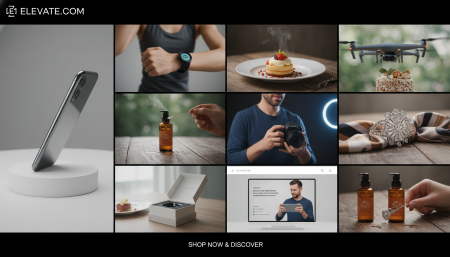
Boost Your Product Listings
Enhance your product videos with AI to make them stand out on e-commerce platforms. Crisp, clear visuals can attract more customers and increase sales by showcasing your products in the best light.
Everything You Need to Know
How does AI Video Enhancer work?
Our AI uses advanced neural networks to analyze every frame of your video. It intelligently predicts and adds missing pixels, removes digital noise, and sharpens blurry edges to create a high-definition result that looks natural.Can I upscale a low-quality video to 4K?
Yes! You can easily upscale videos from 480p or 720p to 1080p and even 4K. While the final result depends on the original source, our AI excels at bringing out hidden details and textures.Do I need to download any software?
Not at all. Crun is a fully web-based platform. You can upload, enhance, and download your videos directly from your browser without installing any heavy apps or expensive hardware.How long does it take to process a video?
Processing time depends on the video length and the selected resolution. Most short clips take only a few minutes. Our high-speed cloud servers handle all the heavy lifting for you.What video formats are supported?
We support most popular formats, including MP4, MOV, AVI, and MKV. You can download your enhanced video in high-quality MP4 format, making it easy to share on any platform.
