

6 Best Grok Imagine Alternatives for AI Image & Video Generation in 2026 (Safe and Stable)
 JaniceWhiteLast Updated: 2026/05/13
Are you looking for a Grok Imagine alternative? If you are struggling with this problem, like many users on Reddit who are searching for tools with fewer restrictions, better pricing, or more flexible creative control, this article can be your perfect solution. Here, we walk you through the 6 best Grok Imagine alternatives for image and video generation in 2026, including free, open-source, and low-moderation options.
Simply follow this guide to choose the one that fits your needs best, and explore unlimited AI image creation and image-to-video generation.
What is Grok Imagine
Grok Imagine is an AI-powered image and video generation tool developed under the xAI ecosystem. It focuses on fast content generation, social media-ready visuals, and experimental “spicy mode” outputs.
1. Features
- AI image generation from text prompts
- Image-to-video conversion
- Fast rendering for short-form content
- Integrated experimental modes (e.g., “spicy mode”)
2. Pricing Model
| Plan | Price/month | Credits | Cancellation and Renewal |
| Free Tier | $0, 3 days free to use | Limited Daily Use | Auto-renews after the 1-month subscription |
| SuperGrok | $30 | Higher credit limit | Cancels anytime via the platform |
| Grok Business | $30 per user | Unlimited | Contract-based |
3. Pros
- Fast and easy to use
- Good for viral/social content
- Unique experimental modes
4. Limitations
- Strict moderation policies
- Limited creative control and free access
- Not always stable for professional workflows
Why Do Users Switch to a Grok Imagine Alternative
While Grok Imagine initially gained attention for its “less restricted” approach, many users are now actively finding a better alternative. The reasons go beyond just pricing, they reflect deeper concerns around moderation, usability, control, and consistency.
1. Avoid the Strict Moderation
One of the biggest frustrations is increasingly strict and unpredictable moderation.
Community feedback on Reddit highlights this shift clearly:
“Moderation seems to kick in at around 16 or 72%.”
“Nothing works… everything gets moderated.”
This inconsistency makes it difficult for creators to rely on Grok for stable workflows, pushing them toward more predictable alternatives.
2. Curious about Uncensored Tech
Some creators tend to Grok Imagine spicy mode alternatives that offer fewer limitations to accomplish the video generation task.
For many users, the motivation is simple curiosity. With constant discussions around “uncensored AI,” deepfakes, and NSFW generators on platforms like Reddit and TikTok, people naturally want to explore what these tools can actually do.
Search queries such as “best alternatives to Grok Imagine” often reflect a mix of hype, concern, and genuine interest in emerging technology. They’re often just testing the boundaries of what modern AI systems are capable of and how different platforms handle creative freedom.
3. Need Flexible Creative Control
Professional creators often find Grok limiting when it comes to advanced production needs.
Common complaints include:
- Limited camera or motion control
- Inconsistent output quality
- Lack of multi-shot storytelling features
As AI video tools evolve, users increasingly expect:
- Cinematic control (camera angles, transitions)
- Character consistency
- Multi-modal input (image + video + audio)
When these are missing or unstable, switching to a more flexible Grok Imagine video alternative becomes necessary.
4. Wanna Free Tier to Test before Purchasing
Cost is another major factor. While Grok Imagine offers a free tier, it is:
- Highly limited
- Quickly exhausted
- Often insufficient for real projects
Community discussions reflect this shift:
“Grok… is no longer fully free… you hit limits fast.”
As a result, users actively search for:
- Free tools
- Platforms with free credits or open-source access
Many creators even combine multiple tools to maximize free usage and flexibility.
6 Best Alternatives to Grok Imagine
Now, let's take a look at the best AI video generators similar to Grok Imagine , ranked based on capabilities, pricing, and usability.
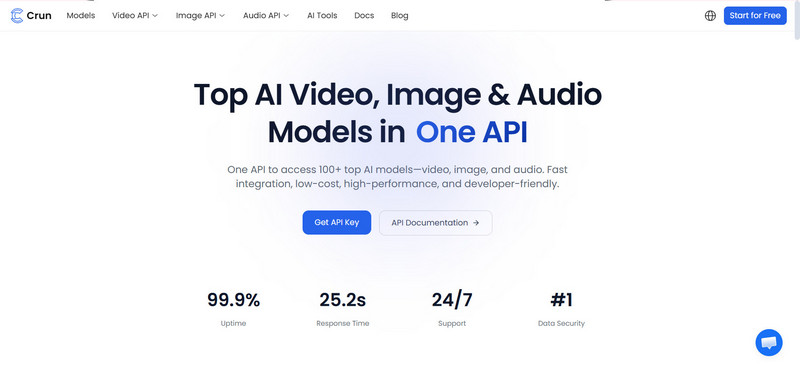
1. Crun AI: All-in-One Grok Imagine Alternative for AI Image and Video Generator
Crun AI stands out among the Grok Imagine alternatives for seamless image and image-to-video generation. As an all-in-one image and video creation platform, it covers all the latest AI models such as Grok Imagine, Vidu, Seedance, Wan, Runway, Kling AI, Google Veo, Seedream, Flux, Nano Banana, Suno, and no need to frequently switch to other platforms.
Featuring character consistency and lip syncing, and robust image and video generation capabilities, pay-as-you-go pricing models and free credits for the first login users, it has become the first choice for users who need a free alternative.
Pros:
- Comprehensive Creative Solution: Provide users with an overall solution to generate images and videos in one place
- Rich Models: A wide range of AI models for video, image, audio, and LLM are supported
- High-quality Output: Create cinematic images and videos up to 4K without watermark, with character consistency and lip syncing kept
- Free Trial: Offer the first-log-in users 100 credits for free to test all features
- Clear Document: Detailed documentation helps developers integrate the AI API key in one call into their platforms
- Flexible Pricing Plans: Support purchasing credits according to the needs
Cons:
- More models are being added
Pricing:
- Free tier with limited credits
- Pay-as-you-go, enabling users to buy credits based on needs
Who is it Suitable for:
- Agencies, SaaS tool developers, and content creators
2. Google Veo 3.1: The Perfect Grok Imagine Free Alternative
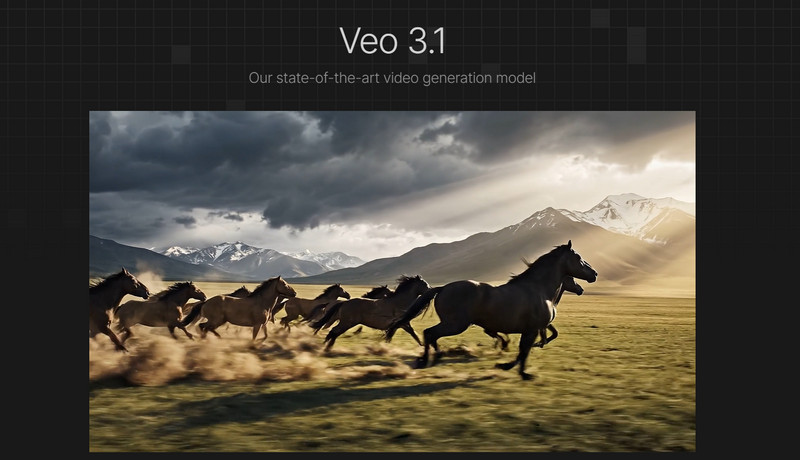
Google Veo is another great Grok Imagine alternative with a free trial version and motion control feature. Like Grok Imagine, it comes with an advanced AI video generation model from text and images. It delivers professional-grade videos with highly realistic motion, lighting, and physics simulation, making it an ideal choice for creating cinematic storyboard video projects across product videos, ad videos, and more.
Integrating the Google Gemini app for iOS seamlessly, which makes it more convenient for users who need an app version to test ideas on the go.
Pros:
- High-resolution Results: Support 4k output
- Realism: Generate videos with extremely realistic human motion
- Great Prompt Adherence: Advanced prompt interpretation
- Creative Control: Professional control over the camera
- Compatible with iOS devices: iOS version is available for mobile users
- API Service: Offer developers an API key
Cons:
- Restricted access in certain regions
- Advanced features need to be unblocked via technical setup
Pricing:
- $0.10 to $0.75/per second
Who is it Best for:
- Video content creators who need to produce cinematic-quality videos
3. Kling AI: Best Grok Imagine Image to Video Alternative
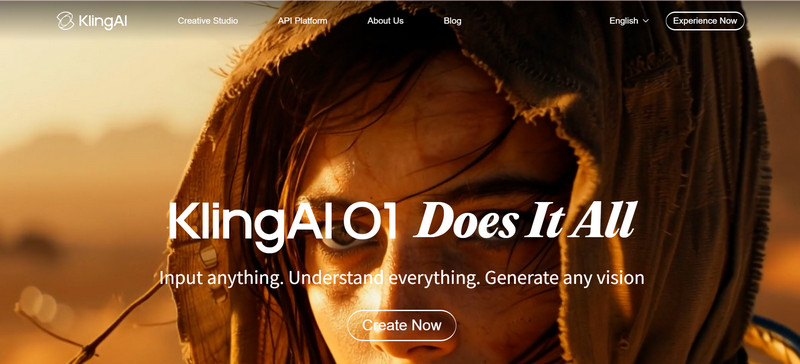
Kling AI video generator is also a good alternative to Grok Imagine due to its cinematic-quality output from image to video. Thanks to its precise long-form storyboard control with high visual fidelity, native audio syncing, consistent character and scene coherence, it becomes the trustworthy option for content enthusiasts.
Key Features:
- Advanced Control over the Camera, and Motion: Precise control over the sophisticated camera movement and objects' dynamics, producing vivid videos with high fidelity
- Multi-shot mode support: Generate multi-scene videos with ease
- High-quality Video Generation: Create videos in 2K up to 4K with a duration of 15s
- Image Generation in Bulk: The latest image series mode allows users to generate multiple images at a time, suitable for high-volume image production
- API Access: API is accessible for users
Pros:
- Perfect for cinematic storyboard video content
- Deliver results with high realism
- Multimodal input support, like text, image
- API access is supported
Cons:
- Pricing structure is confusing
- Limited availability in some regions
Pricing:
- From $6.99/month to $ 127.99/month; from $79.2 to $1429.99/year
Best for:
- Storytelling, film-style content creation in multiple scenes
4. Wan: Best for Users Who Need a Grok Imagine Alternative for Open Source Workflows
WAN AI is a popular option for developers who need an open-source tool for seamless integration. It supports generating videos from text to video, image to video, and even image editing. For users who need more creative control, it can be a perfect choice. It delivers multi-shot storytelling videos up to 15s in 1080p HD quality, in 16:9, 9:16, 1:1, 4:3, 3:4.
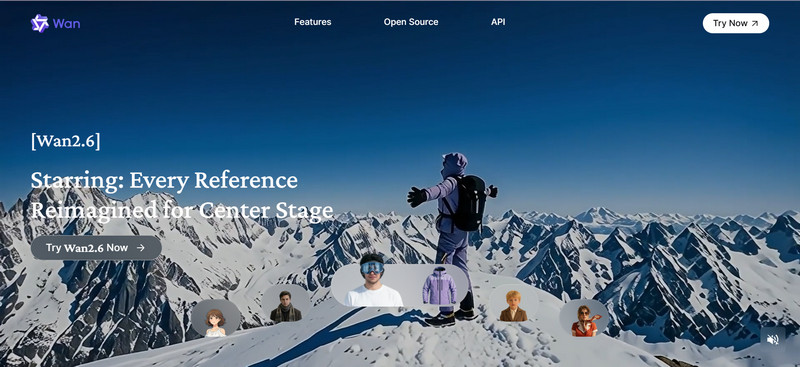
Key Features:
- Open-source Support: Open-source models are accessible for professional developers
- Multi-shot Storytelling Feature: Built-in Multi-shot option empowers users to proceed storyboard generation, maintaining characters, scenes, audio, and mode consistent across different shots
- Audio Synchronization: Support syncing dialogue, sound, and music with videos naturally
- Work Well on Android and iOS devices: Come with Android and iOS apps, providing mobile device users with convenience
- API Access: Give users clear access to the API and documents, making it easier to deploy the API to AIGC applications
Pros:
- Free credits are provided
- Support iOS, Android, open-source models
- Various pricing modes tailored to different needs
- API access is supported
Cons:
- 4K output is not supported
Pricing:
- Flexible pricing plan, including free trial, membership plans, and credits-based
Best for:
- Developers, advanced users
5. Seedance: Best for Director-level Control
Seedance is a powerful Grok Imagine alternative designed for creators who need director-level control over their videos.
Unlike basic AI video generators, Seedance focuses on cinematic storytelling, allowing users to precisely control camera movement, scene composition, and motion trajectories. This makes it especially valuable for film pre-visualization, animation planning, and high-end content production.
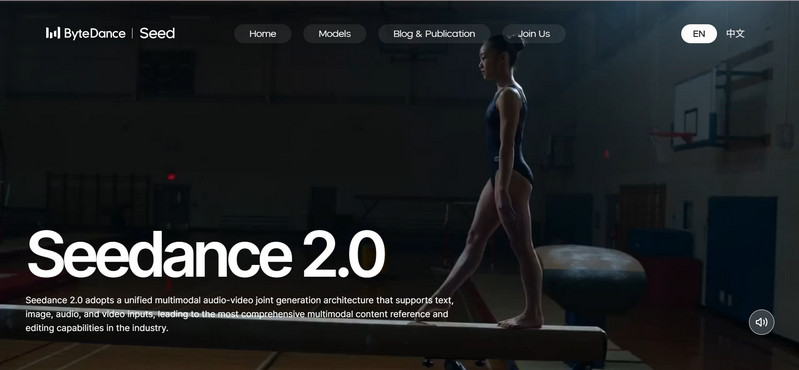
Key Features:
- Multiple Reference Inputs: Support both images and videos as references for more accurate and vivid outputs
- Audio-Visual Synchronization: Combine audio and video generation for immersive storytelling
- Multimodal Input: Accept text, images, audio, and video for enhanced control
- Cinematic Motion Control: Enable detailed control over camera angles, movement, and transitions
Pros:
- Precise motion and camera control
- High-quality cinematic output
- Free trial available
- Available on web, Android, and iOS
Cons:
- No 4K output support
- Slight learning curve for beginners
Pricing:
- Starts at $9.60/month
Best for:
- Filmmakers
- Animators
- Creative professionals needing advanced control
6. Vidu: Best Grok Imagine Alternative with Consistent Characters
Vidu AI is a strong alternative for creators who prioritize character consistency and structured storytelling.
It is particularly effective for producing short cinematic clips, making it ideal for marketing videos, social media content, and narrative storytelling where maintaining the same character across scenes is critical.
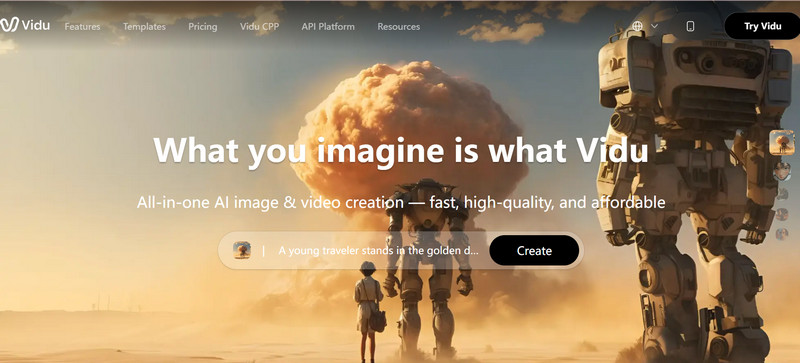
Key Features:
- Multiple Reference Support: Use images and text to guide character and scene generation
- Audio-Visual Integration: Generate synchronized audio and video for cohesive output
- Multimodal Input: Support text, and image inputs
- Structured Scene Generation: Help maintain continuity across scenes
Pros:
- Strong character consistency across clips
- Smooth scene transitions with start/end frame control
- Fast rendering for short-form content
- Ideal for storytelling and ads
Cons:
- Limited advanced physics and motion realism
- Not suitable for long-form video production
Pricing:
- Starts at $8–$10/month
Best for:
- Social media creators
- Marketers
- Short-form video storytelling
Comparison between Top 6 Grok Imagine Alternative: Which is Worth Trying
Are you still wondering which AI video generator is worth testing? This table will help you out.
| Tool | Features | Platform | Best for | Moderation | Quality | Free Tier | Paid Plan |
| Crun AI | Multi-model platform (Veo, Kling, Sora, etc.), image + video + audio generation, API access | Web (All devices) | All-in-one creators, teams | Medium (depends on model) | 720p, 1080p, 4K | 100 credits for the first login users | Pay-as-you-go ($0.05–$1.5/video) |
| Google Veo | Cinematic video, native audio, physics simulation | Web, iOS | Ads, film, professional production | High (strict policies) | 4K | Limited | From $0.10 to $0.75/per second |
| Kling | High realism, long-form video (up to ~2 min), storyboard control | Web | Storytelling, long videos | Medium | 2K up to 4K | ❌ | $6.99–$127.99/mo |
| Wan | Open-source, text-to-video, image editing, API integration | Web, local deploy, mobile | Developers, open workflows | Low (flexible) | 720p up to 1080p | Free to use without credits, limited to adding 1 image and 1 video only | $6.5/month for Pro version and $26/month for Premium version |
| Seedance | Multi-model access, multi-shot storytelling, audio-video sync | Web, iOS, Android | Filmmaking, advanced control | Medium | 720p up to 1080p | Daily limits, free trial on the Xiaoyunque platform | $9.60 USD/month |
| Vidu | Character consistency, 1080p output, short video generation | Web, App | Social media, marketing | Medium | 540p, 720p up to 1080p | ✅ | ~$8–$10/month |
How to Choose the Best Grok Imagine Alternatives
Choosing the right Grok Imagine Alternative isn’t about picking the most popular tool, it’s about finding the one that fits your workflow, content type, and budget. The best AI generator depends on how you plan to use it, not just how impressive its demo looks.
Here are the key factors to consider:
1. Be Clear about Your Real Purpose
Start by defining what you actually need:
- Social media content vs cinematic storytelling
- Short-form vs long-form videos
- Experimentation vs production
Different tools are optimized for different use cases. For example, some focus on fast generation, while others prioritize realism and storytelling.
If your goal is unclear, you’ll likely choose the wrong tool.
2. Character Consistency and Lip Sync
If your content involves storytelling, branding, or recurring characters, consistency is critical.
Look for:
- Stable character appearance across scenes
- Accurate lip-sync for dialogue
- Smooth transitions between shots
High-end tools maintain temporal coherence and identity consistency, which is essential for professional-quality videos.
3. Image and Video Generation Capabilities
Not all AI tools are equal in output quality. Focus on:
- Resolution: HD, 4K, or higher
- Motion realism: natural movement and physics
- Prompt accuracy: how well it follows instructions
- Multi-modal input: text, image, video, audio
Top-tier tools balance visual quality, motion handling, and controllability for better results.
4. Comply with the Terms of Service and Content Rules
Many users look for “uncensored” tools, but it’s important to understand platform policies.
Consider:
- Content moderation level, especially NSFW, adult, and real person content
- Usage restrictions
- Commercial licensing rights
Some platforms prioritize safety and compliance, while others offer more flexibility, but may carry higher risks.
5. Price
Pricing varies widely across platforms, so evaluate:
- Free tier availability
- Credit-based vs subscription models
- Cost per video or per second
Also consider cost vs output quality vs scalability, especially if you plan to produce content regularly.
FAQs about Grok Imagine Alternative
Is Grok Imagine no longer free?
Yes, Grok Imagine does offer limited free access, but it is no longer fully free for most users. Recent updates have restricted many core features, especially video generation behind paid plans or subscriptions.
Many users now report hitting paywalls quickly, which is why interest in free tools has increased significantly.
How much does Grok Imagine cost per month?
Grok Imagine pricing typically around $30/month or more for full access, depending on credits and usage limits.
How to do Grok spicy mode?
Grok Imagine includes different generation modes such as Normal, Fun, and Spicy.
- Spicy mode is designed for more expressive or less restricted outputs
- It is typically available only under certain plans or conditions
Keep in mind that availability and restrictions may change depending on platform policies.
Is there a free version of Grok Imagine?
Yes, but it is very limited.
The free version usually includes:
- A small number of credits
- Low-resolution outputs (e.g., 480p–720p)
- Limited daily usage
It’s mainly intended for testing rather than regular content creation.
How to use Grok Imagine for free?
To use Grok Imagine for free, you can:
- Sign up for the free trial or starter credits
- Use limited daily generations
- Access it through partner platforms offering trial access
However, most users eventually need to upgrade due to strict limits.
Is there any other AI like Grok Imagine?
Yes, there are many strong AI video generation tools like Grok imagine, including:
- Crun AI (all-in-one platform)
- Google Veo & Seedance (cinematic quality)
- Kling AI (motion realism)
- Wan AI (developer-friendly)
- Vidu AI (short-form content)
Which AI is better than Grok?
It depends on your needs:
- Best overall: Crun AI
- Best realism: Google Veo
- Best storytelling: Kling AI
- Best flexibility: Wan AI
Some tools outperform Grok in quality, control, or pricing, especially for professional workflows.
What are the best Grok alternatives right now?
The top Grok Omagine alternatives in 2026 include:
- Crun AI
- Google Veo
- Kling AI
- Wan AI
- Seedance
- Vidu
These tools offer better flexibility, fewer restrictions, or more advanced video capabilities.
Are there free Grok alternatives?
Yes, several tools offer free plans or credits:
- Crun AI (100 credits for free to use)
- Wan AI (open-source/free tier)
- Vidu (free monthly credits)
- Google Veo (limited access trials)
Which Grok alternative integrates with other apps?
If integration is important, consider:
- Crun AI : API + multi-model integration
- Wan AI : strong developer ecosystem
- Kling AI : API access for automation
These tools are ideal for:
- SaaS platforms
- content pipelines
- automation workflows
Conclusion: Which Grok Imagine Alternative is Right for You in 2026?
Choosing an appropriate Grok Imagine alternative in 2026 generally depends on many factors, like your real goal, and budget.
If you need a comprehensive image and video generation platform, Crun AI is undoubtedly the top choice. If you focus on high-quality output with motion control, Google Veo and Seedance are recommended. If you prefer fast, short-form video generation for social media platforms, go with Vidu. If you need the multi-shot storytelling output feature, choose Kling and Wan. If you want to customize your own workflow, Wan is the optimal choice.
Hopefully, this article can help you succeed in the video generation process.
More Related Articles
Learn more alternatives for AI image and video generation.
- 7 Best Vidu AI Alternatives for Animation Generation in 2026 (Free and Paid Options) >>Searching for the best Vidu alternatives? Discover 7 best AI video generators for animation in 2026 with features, pricing, and use cases comparisons. >>
- 7 Best Runway Alternatives for AI Video Generation in 2026 (Tested & Ranked) >>Are you looking for a reliable Runway alternative that can generate good image to video (5 to 10 seconds)? In this guide, we’ve tested and ranked the 7 best Runway alternatives in 2026 for amazing video generation from text, images or videos, including free, open source options. >>
- 9 Best Kling AI Alternatives for Image to Video Generation in 2026 (100% Working) >>Looking for the best Kling AI alternative in 2026? In this guide, we tested and ranked the 9 best Kling AI alternatives in 2026, including free options, open-source tools, and professional AI video generators. >>
- 7 Best Sora 2 Alternatives for AI Video Generation in 2026 without Invite code or Restriction >>If you are looking for a Sora 2 free alternative, you've come to the right place. In this article, we just tested and collected 7 best Sora 2 alternatives without restriction or invite code in 2026. >>
With over 10 years of experience in the IT industry and technology writing, she specializes in delivering clear, practical insights into emerging technologies. Her expertise lies in AIGC, where she is dedicated to helping users navigate complex tools and workflows with professional, easy-to-follow solutions.
