

9 Best Kling AI Alternatives for Image to Video Generation in 2026 (100% Working)
 JaniceWhiteLast Updated: 2026/05/13
Does anyone know any Kling AI alternative that are just as good? The reason is I’m tired of having to pay for more credits when I’m a subscriber, and it doesn’t give me daily credits or anything. I’ve looked up a bunch of ways to get free credits and nothing works. I’m mainly aiming for the frame to frame AI videos as well. --- A question from Reddit
This is a real question posted on Reddit, and it perfectly captures what many AI creators are experiencing in 2026. Kling AI is powerful when it comes to image-to-video generation and motion control. However, many creators are now searching for a Kling AI alternative due to access limitations, cost concerns, and the need for more flexible workflows.
In this guide, we tested and ranked the 9 best Kling AI alternatives in 2026, including free options, open-source tools, and professional AI video generators.
Whether you're a content creator, marketer, filmmaker, or AI enthusiast, you can always find and pick the right Kling AI alternative image to video generator to produce stunning videos without restrictions.
Why You Need a Kling AI Alternative
Kling AI is helpful for video generation, but it isn’t always the most practical choice for everyone. Several factors make users look for a free alternative to Kling AI or a tool with more flexibility.
Access & Availability :
One of the biggest challenges with Kling AI is regional availability. The platform has limited global access and often requires waitlists or invitations.
Many creators outside supported regions struggle to use it consistently. As a result, people search for a Kling AI alternative free or globally accessible tool.
Several newer platforms now offer similar or even better image-to-video generation without geographic restrictions.
Integration & Flexibility :
Another limitation of Kling AI is integration with existing workflows.
Modern creators need tools that can:
- Integrate with editing software
- Support API access
- Allow motion control customization
- Enable model switching
Many Kling AI alternative apps provide flexible APIs and workflows that make them better suited for professional pipelines.
Cost & Efficiency:
While Kling AI delivers high-quality results, its pricing model can become expensive for heavy users.
If you generate videos frequently, you may want:
- A Kling AI free alternative
- Pay-as-you-go plans
- Unlimited generation options
Fortunately, several modern AI video tools offer better pricing and efficiency without sacrificing quality.
9 Best Alternatives to Kling AI Video Generator in 2026 (Tested and Ranked)
Let's break down the best tools similar to Kling AI, ranked based on video quality, motion control, usability, and pricing.
1. Crun AI: Best Kling AI Alternative (All-in-one Image & Video Creation Platform)
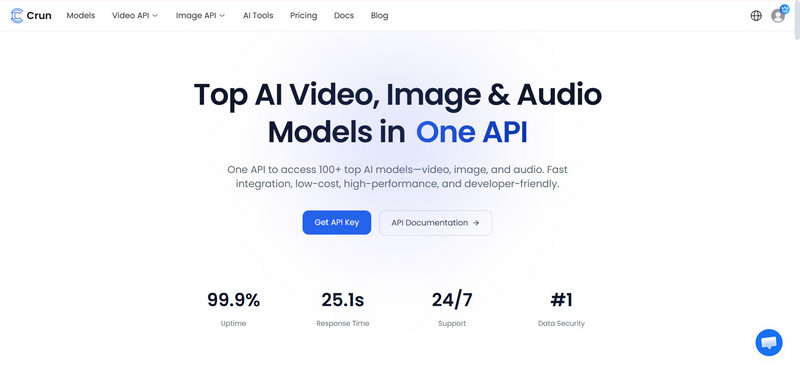
Crun AI is one of the most robust Kling AI alternatives for image-to-video generation. As a one-stop image & video creation platform, it combines multiple advanced AI models such as Kling AI, Sora 2, Google Veo 3.1, Grok Imagine, Vidu, Seedance, Wan, Runway, and more into a single platform and focuses heavily on motion control and cinematic output. You do not need to swtich between different platforms.
Unlike Kling AI, Crun AI offers easier access for creators worldwide. It also provides flexible pricing and free generation credits, making it a strong Kling AI free alternative.
Pros:
- Provide an all-in-one platform for users to experiment with all AI models
- A variety of AI models for video, image, audio, and LLM are available
- Create high-quality video and images up to 4K without watermark
- Can be accessible woreldwild
- Offer the first-log-in users 100 credits for free, no invite code required
- Detailed documentation makes it easier to integrate AI API key in one call
- Flexible pricing tailored to different models
Cons:
- New models are being rolled out gradually
2. Google Veo 3.1: Best for Cinematic Motion, Realism Results
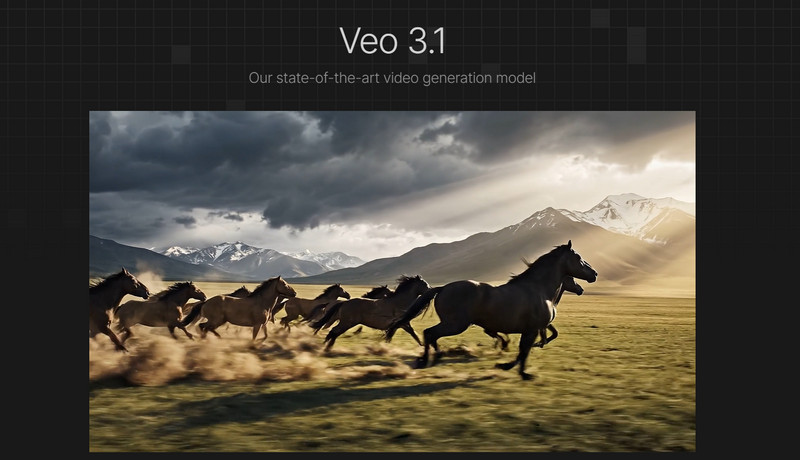
Google Veo 3.1 is a perfect Kling AI alternative with motion control ability. Like Kling AI, it is an advanced AI video generation model from text and images. It produces extremely realistic motion, lighting, and physics simulation, which makes it perfect for cinematic storytelling and advertising projects.
Thanks to its seamless integration Google Gemini app for iOS, it has become a ideal option for user who prefer a Kling AI alternative app version.
However, Veo is still limited in availability and typically requires access through specific platforms. Despite that limitation, it remains a worhty Kling AI alternatives for realism.
Pros:
- Generate high-resolution videos up to 4k
- Ultra-realistic human motion
- Advanced prompt interpretation
- Cinematic camera control
- iOS version is accessible for mobile users
- Provide developers with API key
Cons:
- Limited access in certain regions
- May require technical setup for advanced features
3. Sora 2: Best for Advanced Physics & Dynamic Video
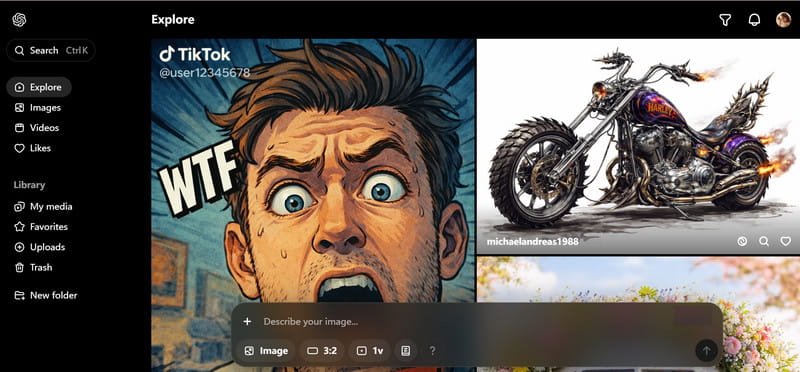
Sora 2 is the latest AI video generation model designed for long and complex scenes, as well as and dynamic content. It excels at maintaining scene consistency, generating long-form AI videos, handling multi-object interactions, and detailed physics simulations, understanding detailed prompts,
Compared to Kling AI, Sora focuses more on story-driven generation rather than short clips. Creators producing longer narrative content often prefer Sora over Kling AI.
Pros:
- Support 4k output
- Advanced physics and motion simulation
- Maintains scene consistency across frames
- Suitable for long-form AI videos
- Supports detailed prompts for complex video generation
Cons:
- Interface can be slightly complex for beginners
- Slower rendering for long videos
4. Grok Imagine: Best for Short, Fast, Viral, and Idea-testing Content
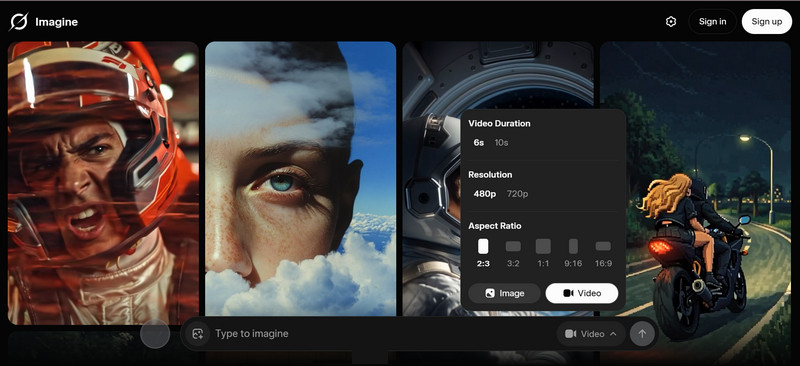
Grok Imagine is a popular Kling AI alternative. It focuses on short-form videos with stylized visuals and viral potential. It’s perfect for social media creators or teams doing idea testing.
Pros:
- Fast video generation
- Optimized for viral and social media content
- Easy-to-use interface
- Allow users to choose the proper aspect ratio option based on the different social media platform, like 2:3, 3:2, 16:9, 9:16
- Good for rapid prototyping of creative ideas
Cons:
- High-quality 1080p or 4K output are unavailable
- Less suitable for long-form cinematic videos
- Motion control options are limited compared to Crun AI
5. Vidu: Best for Short Cinematic Clips with Consistent Characters and Structured Scenes
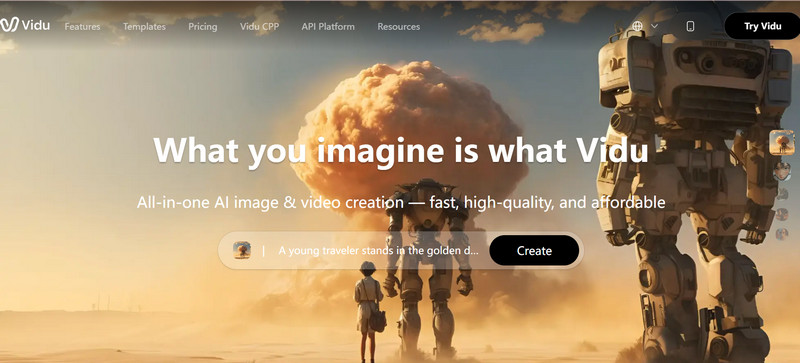
Vidu is an ideal Kling AI alternative for creators who need short cinematic clips with character consistency and structured scene composition. It works well for marketing, storytelling, and social media content.
Pros:
- Maintains character consistency across clips
- Structured scene generation for cinematic output
- Quick rendering suitable for short videos
- Support Start‑frame/end‑frame, making transitions smooth
Cons:
- Limited advanced physics options
- Not designed for long-form content
6. Seedance: Best for Cinematic Storytelling and Film Pre-visualization
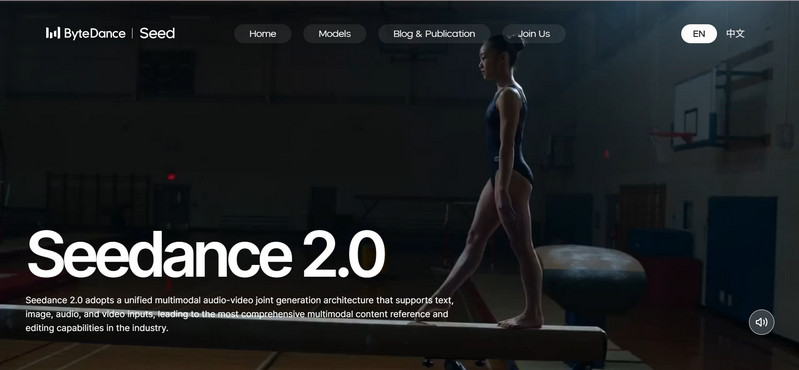
Seedance is another useful Kling AI alternative which targets creators who want director-level control, including camera movement, scene composition, and cinematic storytelling. It is ideal for pre-visualization in filmmaking.
What's more, it allows detailed manipulation of camera movements, scene composition, and motion trajectory.
Pros:
- Advanced cinematic storytelling tools, delivering 1080p output
- Multimodal input support, including text, video, image, and audio
- High control over motion, camera, and scenes
- Give users access to API service
- Android and iOS app version are available
- Ideal for film pre-visualization and professional filmmaking
Cons:
- Requires a learning curve for beginners
- Slower generation speed compared to fast-clip platforms
7. Wan: Best for Users Who Want Customizable or Open-source AI Video Workflows
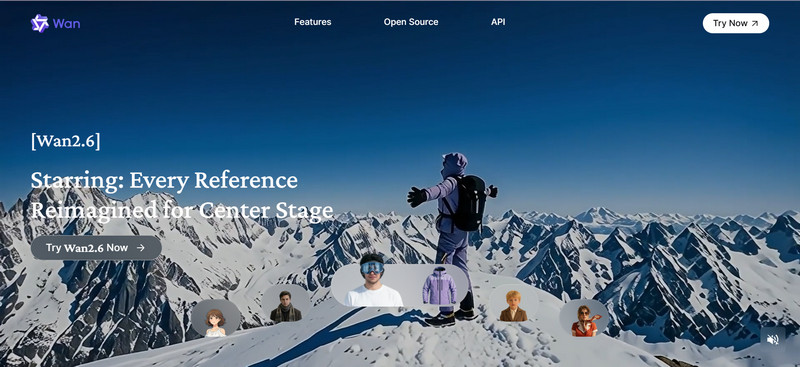
Wan is a Kling AI open-source alternative designed for developers and AI enthusiasts. It allows customizable workflows and local execution, offering flexibility that proprietary platforms may lack.
Pros:
- Fully open-source with customizable models
- Supports local execution and workflow integration
- Detailed control over motion and frame-to-frame generation
Cons:
- Do not support the 4K output
- Free users can submit up to 1 image and 1 video only
- Requires technical expertise
- Slower setup for non-technical users
8. Runway: Best for Editing-heavy, Production-ready, and Workflow-based Video Content
Runway is great Kling AI alternative that integrates AI video generation with editing workflows, making it ideal for teams creating production-ready content. Its collaborative features allow multiple users to contribute efficiently.

Pros:
- Strong video editing and production workflow integration
- Real-time effects and AI-assisted editing
- Collaborative features for teams
- Produce up to 16s clip
- Editing APIs are tailored for professionals
Cons:
- Less focus on cinematic motion compared to Crun AI or Seedance
- Some features are locked behind paid plans
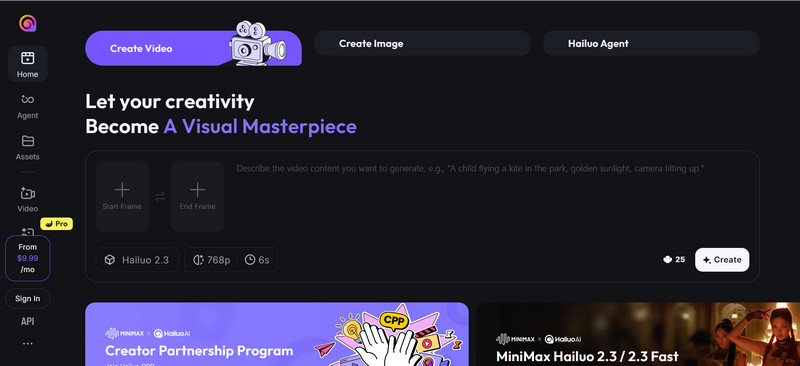
9. Hailuo: Best for Quick Concept Clips
Hailuo is a beginner-friendly alternative to Kling AI and optimized for quick concept videos from text prompts and images. It’s perfect for social media content, idea prototyping, or rapid visualization of creative concepts.
Pros:
- Very fast video generation
- Easy-to-use interface for beginners
- Ideal for short concept clips and social media
Cons:
- Limited cinematic quality, no 4K output support or built-in upscaling feature
- Native audio generation are not available
- Fewer advanced motion control options
Comparison between Top 9 Kling AI Alternatives : What are the Best AI Video Generators for Motion Control
When comparing AI video generators, motion control is one of the most important factors.
Here is a simplified comparison:
| Tool | Motion Control | Realism | Platform | Best for | Free Tier | Paid Plan |
| Crun AI | API‑level (multiple models: Wan, Sora, Veo, Vidu, Seedance) , depends on model used | Varies by model (can use high‑quality engines like Veo 3.1 & Sora 2) | Web-based, works well in Windows PC, Mac, Android, and iOS devices | All-around creators | 100 credits for the first login users | From $0.05 to $1.575/per video |
| Google Veo 3.1 | Native camera and motion continuity built in | Realistic 1080p + synced audio outputs | Windows PC, macOS, and iOS | Cinematic visuals, audio sync, professional scenes | Limited | From $0.10 to $0.75/per second |
| Sora 2 | Good camera movement, stable motion across frames; stronger with Pro tier | High realism (1080p) | Web / integrated tools | Storytelling, controlled narrative scenes | Some free usage with credits | Plus ($20/month) or Pro ($200/month) subscription |
| Grok Imagine | Simplified motion; supports camera movement and character consistency; smooth but not advanced control | Medium‑high quality; flexible styles | Web | Viral content, Social clips, expressive storytelling | 3-day free to use | $25/month |
| Vidu | Camera motion control (pans, push‑ins, tracking), multi‑shot narrative control supported | Realistic with cinematic touch and native audio sync | Web / app | Fast generation,Professional 16s narratives, ads & storytelling | Free credits on signup, 10 credits/month | Affordable plans (around $8/month) |
| Seedance | Physics‑accurate motion & camera movement | High visual fidelity | Web, iOS, Android | Professional filmmakers, cinematic quality & rich motion scenes | Daily limits, free trial on the Xiaoyunque platform | $9.60 USD/month |
| Wan | Variable motion control; Lei research suggests dense trajectory motion control methods (Wan‑Move) can rival commercial approaches | Good quality; often open‑source friendly | Web, iOS, Android | Developers, open‑source text‑to‑video & research | Free to use without credits, limited to adding 1 image and 1 video only | $6.5/month for Pro version and $26/month for Premium version |
| Runway | Basic camera motion via diffusion model; less refined than Sora/Veo | High creative quality | Web, macOS, Cloud | Creative editing + generative workflows | Limited | $15/month |
| Hailuo | Smooth motion and transitions; generally responsive to prompts | Good quality, smooth visuals | Web | Short clips and dynamic motion | Free credits on some platforms | Cost around $0.19 to $0.28 per generation for a 6-second video |
For motion control, the top tools are:
- Crun AI
- Seedance
- Google Veo
These platforms provide the most advanced camera and motion manipulation capabilities.
How to Pick the Best Kling AI Alternatives
Choosing the right Kling AI alternative depends on several factors.
1. Quality & Realism
If realism is your top priority, look for tools with:
- accurate physics simulation
- consistent motion
- high-resolution output
Google Veo and Crun AI are strong choices in this category.
2. Features & Control
Professional creators often need advanced control options such as:
- camera paths
- motion trajectory
- style control
- scene composition
Seedance and Crun AI excel at motion control features.
3. Speed & Usability
For social media creators, generation speed matters.
Tools like:
- Vidu
- Runway
- Hailuo
offer fast results and easy interfaces.
4. Price & Access
Some AI video generators are expensive or restricted.
If you're looking for a Kling AI alternative free, consider platforms that offer:
- free credits
- freemium plans
- open-source models
Crun AI and Wan are excellent options in this category.
FAQs about Kling AI Alternative
What are some good free Kling AI alternatives?
Some of the best free alternatives to Kling AI include:
- Crun AI
- Vidu
- Runway
- Hailuo
These platforms offer free plans or trial credits.
What is the current best open source alternative to Kling AI motion control?
Wan is widely considered one of the best Kling AI open source alternatives. It allows developers to run and customize video generation models locally.
What are other apps like Kling AI?
Popular Kling AI alternative apps include:
- Crun AI
- Runway
- Vidu
- Google Veo
- Sora
Each offers different strengths depending on the type of video you want to create.
Can I use Crun AI if I’m in a region where Kling AI isn’t available?
Yes. One advantage of Crun AI is global accessibility.
Unlike Kling AI, which may have regional restrictions, Crun AI can be used worldwide.
For beginners to AI video generation, which of the Kling AI alternatives are easier to get started?
The easiest platforms for beginners include:
- Hailuo
- Runway
- Vidu
These tools provide simple interfaces and quick video generation.
Can I switch between models without changing my code?
Some modern platforms support multi-model switching through APIs.
Crun AI and similar platforms allow creators to switch models while keeping their existing workflows intact.
Conclusion: Which Kling AI Alternative Should You Choose?
Finding the right Kling AI alternative in 2026 ultimately comes down to your specific goals, workflow, and budget. While Kling AI remains powerful, it’s no longer the only (or even the most practical) option for many creators.
If you want an all-in-one platform with maximum flexibility, Crun AI is the most versatile choice. It integrates multiple leading AI models (including Veo, Sora, Runway, and more) into a single platform, offers free credits for new users, removes the need to switch tools, and works globally—making it ideal for creators, teams, and developers who want efficiency and scalability.
For ultra-realistic cinematic output and advanced motion control, Google Veo 3.1 stands out with high-quality physics simulation, lighting, and prompt accuracy. It’s best suited for professional production, advertising, and high-end visual storytelling.
If your focus is long-form videos and complex scene generation, Sora 2 is a strong choice. It excels at maintaining consistency across frames and handling multi-object interactions, making it perfect for narrative-driven content.
For short-form, fast, and viral-ready content, Grok Imagine and Vidu are excellent options. They prioritize speed, ease of use, and social media formats—ideal for creators testing ideas or producing content at scale.
Filmmakers who need director-level control and cinematic storytelling should consider Seedance, which offers advanced camera movement, scene composition, and pre-visualization capabilities.
If you’re looking for a kling AI alternative open source option, Wan provides customizable workflows and local deployment, giving developers and technical users full control over their pipelines.
For editing-heavy workflows and collaborative production, Runway delivers a complete environment that combines AI generation with professional editing tools.
And if you’re a beginner or need quick concept generation, Hailuo offers a simple interface and fast results, making it easy to get started with AI video creation.
In 2026, you’re no longer limited by access issues or rigid pricing models. Whether you need a free kling AI alternative, advanced motion control, or a scalable creative workflow, these tools ensure your video creation process is faster, more flexible, and truly global.
More Related Articles
Learn more alternatives for AI image and video generation.
- 7 Best Vidu AI Alternatives for Animation Generation in 2026 (Free and Paid Options) >>Searching for the best Vidu alternatives? Discover 7 best AI video generators for animation in 2026 with features, pricing, and use cases comparisons. >>
- 6 Best Grok Imagine Alternatives for AI Image & Video Generation in 2026 (Safe and Stable) >>Are you looking for a Grok Imagine alternative? Here, we walk you through the 6 best Grok Imagine alternatives for image and video generation in 2026, including free, open-source, and low-moderation options. >>
- 7 Best Runway Alternatives for AI Video Generation in 2026 (Tested & Ranked) >>Are you looking for a reliable Runway alternative that can generate good image to video (5 to 10 seconds)? In this guide, we’ve tested and ranked the 7 best Runway alternatives in 2026 for amazing video generation from text, images or videos, including free, open source options. >>
- 7 Best Sora 2 Alternatives for AI Video Generation in 2026 without Invite code or Restriction >>If you are looking for a Sora 2 free alternative, you've come to the right place. In this article, we just tested and collected 7 best Sora 2 alternatives without restriction or invite code in 2026. >>
With over 10 years of experience in the IT industry and technology writing, she specializes in delivering clear, practical insights into emerging technologies. Her expertise lies in AIGC, where she is dedicated to helping users navigate complex tools and workflows with professional, easy-to-follow solutions.
