

7 Best Vidu AI Alternatives for Animation Generation in 2026 (Free and Paid Options)
 JaniceWhiteLast Updated: 2026/04/13
Are you struggling to find a reliable Vidu AI alternative that can deliver better quality, more control, and flexible pricing? You've come to the right place.
As AI video generation tools rapidly evolve in 2026, many creators are beginning to realize that Vidu AI, while powerful for short-form animation, often falls short when it comes to complex storytelling, audio control, and scalable workflows. Whether you're creating animation videos, social media content, or cinematic scenes, these limitations can quickly slow down your creative process. That’s why more users are exploring better Vidu alternatives, tools that offer multi-modal input, advanced camera control, higher-quality output, and more flexible pricing models.
In this guide, we’ll break down the 7 best Vidu AI alternatives in 2026, including both free and paid options, so you can find the right tool for your creative needs.
What is Vidu AI
Vidu AI is an all-in-one AI video generation platform that features a studio powered by AI, designed for creating short-form animated and cinematic videos from text, images, and reference inputs. It focuses heavily on anime-style generation, template-based creation, and fast video outputs, making it popular among creators producing viral content.
However, as AI video workflows evolve, many users are now searching for a more flexible and scalable Vidu AI alternative.
1. Features
- Generate videos from text, images, and reference frames
- Maintain character and scene consistency using multiple reference images
- First-frame and last-frame transition control
- Built-in templates for viral and social content
- Supports short-form animation generation
2. Pricing Model
| Plan | Price/month | Credits | Cancellation and Renewal | Note |
| Free Tier | $0, 10 reference/month | Get 5 credits by daily login | / | Limited generation |
| Standard | $10/month | 800 credits | Cancel anytime, Auto-renews after the 1-month subscription | Casual users |
| Premium | $24.5/month | 4000 credits | Cancel anytime, Auto-renews after the 1-month subscription | Higher volume |
| Ultimate | $60/month | 8000 credits | Cancel anytime, Auto-renews after the 1-month subscription | Heavy users |
| Team | starting from $249/month | shared credits | Depend on the contract | Enterprise |
3. Pros
- Strong anime-style video output
- Multi-reference consistency (up to 7 images)
- Easy-to-use templates
- Daily free credits available
4. Limitations
- High hallucination rate (~50%)
- Limited to short clips (~16s)
- Weak editing and audio control
- Credit-based pricing limits experimentation
Why People Look for a Vidu AI Alternative
Many creators search for a Vidu alternative to overcome the platform’s constraints. Key reasons include:
1. Avoid the Prompt Sensitivity and Inconsistent Output
One of the biggest frustrations with Vidu is how fragile it is with complex prompts. While simple scenes work well, anything involving multiple actions, characters, or detailed storytelling often leads to inaccurate or inconsistent results.
Even small wording changes can drastically alter the output, making it hard to get reliable results, especially for professional workflows.
2. Get Rid of Limits on Storytelling and Flow
Vidu is fundamentally built for short-form clips (often under ~16 seconds), which restricts narrative depth.
Creators trying to build longer stories face problems like:
- Disconnected scenes
- No continuity between clips
- Lack of narrative flow tools
This makes it unsuitable for structured storytelling, ads, or long-form content pipelines.
3. Gain Better Control Over Audio and Editing
Vidu offers very limited post-generation control, especially when it comes to audio and editing.
Missing or weak features include:
- Voiceovers or lip-sync control
- Subtitles and captions
- Fine-grained editing tools
In fact, many creators are forced to rely on external tools for basic production tasks, which breaks workflow efficiency.
4. Escape Credit Limits & Rising Costs
Vidu uses a credit-based pricing model, which can quickly become restrictive for serious creators.
Common pain points:
- Credits are consumed even on failed generations
- High cost for short clips (often just a few seconds each)
- No refunds once credits are used
From community discussions, this creates a major friction point:
“If a video doesn’t come out well… you have to try over and over wasting credits.”
This pricing structure can limit experimentation, which is exactly what creative AI tools should encourage.
7 Best Paid & Free Alternatives to Vidu AI
1. Crun AI: Best Overall Option for Content Creators and Developers
Crun AI stands out as a true all-in-one Vidu AI alternative, combining multiple leading AI models, including Vidu, Seedance, Grok Imagine, Wan, Runway, Kling AI, Google Veo, Seedream, Flux, Nano Banana, Suno, into a single platform. Instead of switching between tools, users can generate images, videos, music, and audio within one unified workflow.
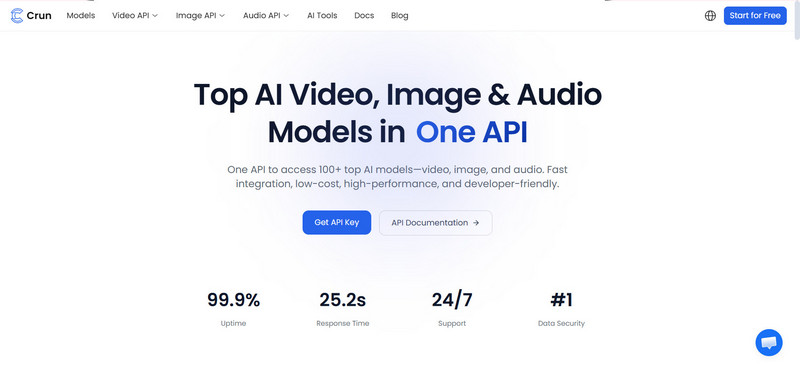
Developer: Crun.ai
Key Features:
- Multi-model integration (Vidu, Veo, Kling, Seedance, Wan, Runway, etc.)
- Advanced camera and motion control
- Multi-shot storytelling support
- 2K–4K video generation (up to ~15s)
- API access for developers
Pros:
- All-in-one workflow (no tool switching)
- Strong cinematic storytelling capabilities
- Multimodal input (text, image, video, audio, reference)
- Scalable for teams and developers
Cons:
- New models are still being added
Pricing:
- Free credits for the first login users
- Pay-as-you-go options
Best for:
- Storytelling, film-style content creation in multiple scenes
Use Case:
- Storytelling, animation, cinematic content, multi-scene production
2. Grok Imagine: Best for Delivering Animation Videos with Character Consistency and Lip Syncing
Grok Imagine is another good Vidu alternative that excels at maintaining character consistency across scenes, making it ideal for animation storytelling and dialogue-driven content.
Various aspect ratio options, like 2:3, 3:2, 16:9, 9:16, 1:1 give users the ability to choose the suitable one based on the different social media platforms.
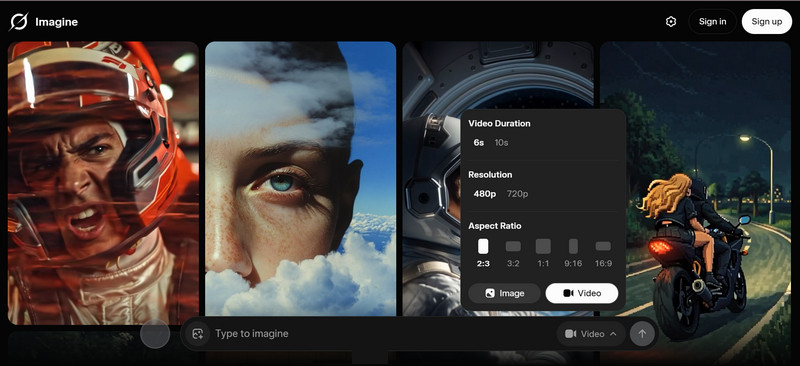
Developer: xAI (via integrated platforms)
Key Features:
- Character consistency across multiple scenes
- Lip-sync and facial animation support
- Text-to-video and image-to-video generation
- Stable identity preservation
Pros:
- Strong performance in animation workflows
- Better facial consistency than Vidu
- Ideal for story-based content
Cons:
- Limited editing features
- Not optimized for long-form videos
Pricing:
- $30/month
Best for:
- Animation videos with recurring characters
Use Case:
- Dialogue scenes, animated storytelling
3. Veo: Best for iOS Users to Create Engaging Videos
Google Veo is one of the most advanced AI video models, delivering cinematic-quality output with realistic motion and native audio. Most impressively, it integrates the Google Gemini app for iOS, which makes it accessible for iOS users anywhere, anytime.
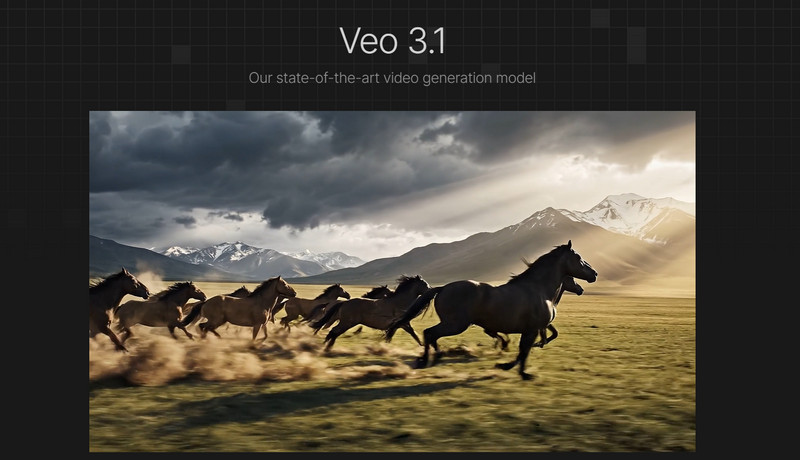
Developer: Google
Key Features:
- Native audio generation
- Realistic physics simulation
- 4K video output
- High prompt accuracy
Pros:
- Industry-leading realism
- Built-in sound and environment generation
- Ideal for professional production
Cons:
- Limited access availability
- Strict content moderation
Pricing:
- Usage-based pricing
Best for:
- Ads, filmmaking, cinematic content
Use Case:
- High-end video production, brand storytelling
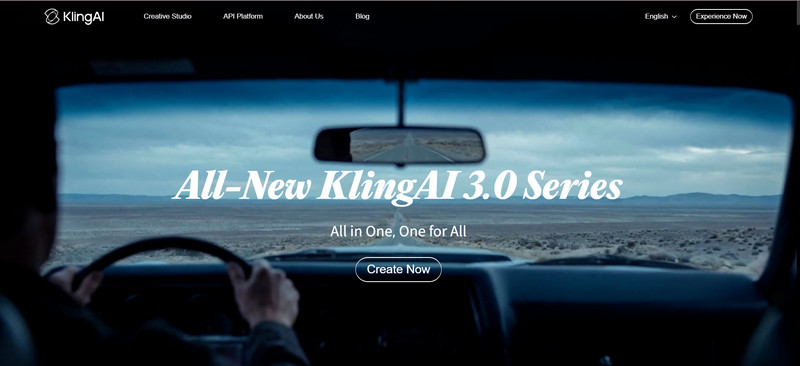
4. Kling AI: Best Vidu AI Alternative for Human Motion Realism
Kling AI is widely known for its highly realistic human motion and longer video duration, making it a strong competitor to Vidu. Thanks to its character and scene consistency, it is also a great option to create engaging animated videos.
Developer: Kuaishou
Key Features:
- Up to ~15s video generation
- Realistic human motion and expressions
- Storyboard-based generation
- Text + image input support
Pros:
- Smooth and natural motion
- Supports longer storytelling
- Ready-to-publish templates for short-form videos are provided
- High visual consistency
Cons:
- No permanent free plan
- Slower rendering for complex videos
Pricing:
- Free credits for limited generation times
- Monthly and yearly subscription plans for individuals and bussinesses are available to cater to different needs
- Starting $6.99/month for individual plan, $79.2/year for business plan
Best for:
- Narrative storytelling and long-form videos
Use Case:
- Short films, story-based content
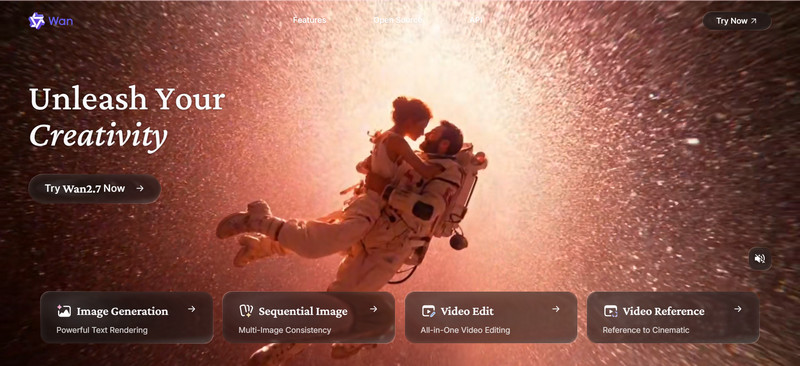
5. WAN: Best Vidu AI Alternative for Professional Workflow
Unlike Vidu AI, Wan AI is designed for developers and advanced users, offering flexibility through open-source and customizable workflows. It supports text to video, image to video, reference to video, speech to video generation and even image editing, producing multi-shot storytelling videos up to 15s in 1080p HD quality, in different aspect ratios, such as 16:9, 9:16, 1:1, 4:3, 3:4. Offering iOS and Android apps, users are capable of unleashing ideas anytime.
Developer: Alibaba
Key Features:
- Open-source framework
- API integration and local deployment
- Text-to-video and image editing
- Custom pipeline support
Pros:
- Highly customizable
- Developer-friendly
- Flexible deployment options
- Android and iOS apps are provided
Cons:
- Requires technical knowledge
- Less beginner-friendly UI
Pricing:
- Free to submit up to 1 image and 1 video
- Starting from $6.5/month for the pro plan and $26/month for the premium plan
- Gift cards are available
Best for:
- Developers and production teams
Use Case:
- Custom workflows, scalable production systems
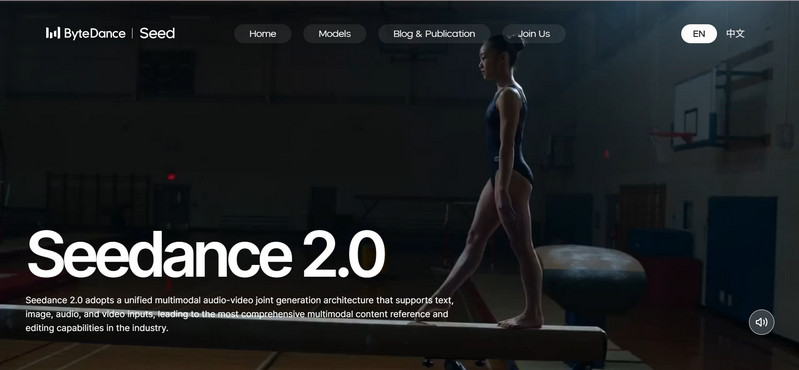
6. Seedance: Best Vidu AI Alternative for Cinematic Quality Videos with Camera Control
Seedance is built for creators who need precise control over camera movement and scene composition. It is perfect for cinematic videos and filmmaking. Compared to other competitors, it delivers the output up to 1080p, and 2K only in 21:9, 16:9, 9:16, 1:1, 4:3, 3:4.
Developer: ByteDance ecosystem
Key Features:
- Camera movement control (pan, zoom, tracking)
- Multi-shot storytelling
- Audio-video synchronization
- Text and image input
Pros:
- Strong cinematic control
- Ideal for structured storytelling
- Balanced features and usability
Cons:
- Limited resolution compared to top-tier models
- Some features are region-restricted
- Free trial is unavailable
Pricing:
- $18/month for basic plan, $42/month for standard plan, $84/month for advanced plan
Best for:
- Filmmakers and advanced creators
Use Case:
- Cinematic storytelling, ad production
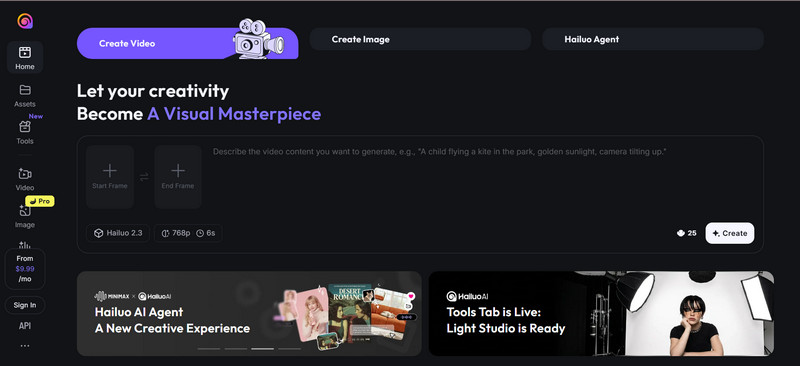
7. Hailuo: Best Vidu Alternative for Limited-Budget User
Hailuo AI is a cost-effective solution for users who need basic AI video generation like Vidu without high expenses. It allows users to create videos from text, images, and multi-image references. A large library of video templates is available for users to start making videos with ease.
Developer: MiniMax
Key Features:
- Fast text-to-video generation
- Simple and beginner-friendly interface
- Basic animation capabilities
- Thousands of templates are provided
- Free trial support
Pros:
- Affordable pricing
- Easy to use
- Good for quick content creation
Cons:
- Lower video quality compared to premium tools
- Limited advanced features
Pricing:
- $9.99/month for standard plan
- $34.99/month for pro plan
- $79.99/month for master plan
Best for:
- Beginners and budget-conscious creators
Use Case:
- Social media videos, quick content production
Comparison between Top 7 Vidu AI Alternatives: Which is Better for Animation Generation
Are you still wondering which is better at generating animation videos? This detailed comparison table can figure it out.
| Tool | Platform | Key Strength | Best for | Quality | Free Tier | Paid Plan |
| Crun AI | Web (All devices) | Multi-model platform | All-in-one | 720p, 1080p, 4K | 100 credits for the first login users | Pay-as-you-go ($0.05–$1.5/video) |
| Grok Imagine | Lip-sync | Characters | High | Limited | $30/month | |
| Google Veo | Web, iOS | Realism | Cinematic | 4K | Limited | From $0.10 to $0.75/per second |
| Kling | Web | Long videos | Storytelling | 2K up to 4K | Limited | $6.99–$127.99/mo |
| Wan | Web, local deploy, mobile | Open-source | Developers | 720p up to 1080p | Free to use without credits, limited to adding 1 image and 1 video only | $6.5/month for the Pro version and $26/month for the Premium version |
| Seedance | Web, iOS, Android | Camera control | Filmmaking, advanced control | 720p up to 1080p, 2K | Daily limits, free trial on the Xiaoyunque platform | $18/month |
| Hailuo | Web | Low cost | Budget | 720p up to 1080p | Yes | $9.99~$79.99/month |
How to Choose the Best Vidu AI Alternatives
In 2026, AI video tools are typically evaluated based on output quality, feature set, speed, and pricing efficiency.
Here are the key factors you should consider:
1. Seamless Integration: Accomplish Video Generation in One Platform
Choose tools like Crun AI that combine multiple models in one platform.
2. Multi-modal Input: Support Generating Videos from Text, Image, Audio, and Reference
The best AI video tools in 2026 are multi-modal, meaning they accept different types of inputs beyond just text prompts.
This includes:
- Text-to-video
- Image-to-video
- Audio-driven generation
- Reference-based generation (characters, scenes)
Multi-modal capability is now a core standard, enabling more accurate and controllable outputs.
3. Custom Control: Various Aspect Ratio, Multi-shot Storytelling, Motion/Camera Control
Advanced creators need more than “one-click generation.” They need control.
Look for tools that offer:
- Multiple aspect ratios (16:9, 9:16, 1:1)
- Multi-scene / multi-shot storytelling
- Camera movement control (pan, zoom, tracking)
- Motion consistency across frames
These features are critical for ads, storytelling, and professional production workflows.
4. Speed and Workflow: Fast Rendering, and Flexible Editing Features
Speed directly impacts productivity—especially when iteration is required.
Top tools are evaluated based on:
- Rendering speed
- Ease of iteration (regenerate quickly)
- Built-in editing tools
A smooth workflow means you can go from idea → draft → final video without bottlenecks.
5. Output Quality: Resolution, Audio Polish, and Visual Quality
Not all AI videos are equal. The best tools differentiate in:
- Resolution (720p vs 1080p vs 4K)
- Motion realism and physics accuracy
- Temporal consistency (no flickering or glitches)
- Audio quality and lip-sync
Some advanced models now support 4K output, native audio, and realistic motion simulation, setting a new benchmark for quality.
6. Free Trial Version Support
Before committing, always test the platform.
A good tool should offer:
- Free credits or trial
- No heavy restrictions on features
- Ability to evaluate real output quality
This helps you avoid wasting money on tools that don’t match your needs.
7. Affordable Cost and Flexible Pricing Plans
Pricing can vary widely depending on:
- Credit systems
- Subscription tiers
- Cost per second or per video
To estimate real cost:
- Include retakes (failed generations)
- Consider cost per minute, not just monthly price
- Check if advanced features (4K, audio) cost extra
The best alternatives offer:
- Pay-as-you-go flexibility
- Transparent pricing
- Cost efficiency at scale
FAQs about Vidu AI Alternative
Is Vidu AI free to use?
Yes, Vidu AI offers a free tier with limited credits, allowing users to generate a small number of videos each month. However, most advanced features and higher-quality outputs require a paid subscription.
How to get Vidu AI free?
You can use Vidu AI for free by:
- Signing up for the free plan
- Claiming daily credits
- Using promotional or limited-time offers (if available)
However, like most AI video tools, the free version is credit-based, meaning usage is restricted.
What is similar to Vidu AI app?
Several tools offer similar functionality to Vidu AI, including:
- Crun AI (All-in-one platform for different kinds of video generations)
- Kling AI (realistic motion & longer videos)
- Google Veo (cinematic quality + audio)
- Hailuo AI (budget-friendly option)
These tools provide text-to-video, image-to-video, and animation generation features comparable to Vidu.
Is there any other apps like Vidu?
Yes, besides the major competitors, there are also platforms like:
- Runway (professional editing & control)
Each tool differs in workflow, quality, and pricing model, so the best choice depends on your needs.
Who is Vidu's competitor?
The main competitors of Vidu AI include:
- Kling AI
- Google Veo
Among them, Kling AI is often considered the closest direct competitor, offering similar features with stronger motion realism and longer video generation.
Which AI video generator is a good Vidu Studio AI alternative?
A good Vidu Studio AI alternative depends on your use case:
- All-in-one workflow → Crun AI
- Cinematic quality → Google Veo
- Realistic motion → Kling AI
- Budget-friendly → Hailuo AI
Each tool improves on Vidu in areas like audio, control, or scalability.
Which Vidu AI alternative supports a free trial version?
For animation-focused content, the best options include:
- Grok Imagine: Character consistency + lip-sync
- Seedance: Multi-shot storytelling
- Kling AI: Smooth motion and realism
These tools are better suited for animation workflows than Vidu’s short-form limitations.
Which alternative is suitable for creating animation videos?
For animation-focused content, the best options include:
- Grok Imagine: Character consistency + lip-sync
- Seedance: Multi-shot storytelling
- Kling AI: Smooth motion and realism
These tools are better suited for animation workflows than Vidu’s short-form limitations.
What can we do using Vidu alternatives?
With modern Vidu AI alternatives, you can:
- Create animation and storytelling videos
- Generate ads and marketing content
- Produce cinematic short films
- Build social media videos (TikTok, YouTube Shorts)
- Add voiceovers, lip-sync, and sound effects
Some advanced tools even support multi-scene storytelling and native audio generation, making them suitable for professional production.
Conclusion: Which Vidu AI Alternative Should You Pick in 2026?
Choosing the best Vidu AI alternative ultimately depends on your creative goals, workflow, and budget.
Here’s a quick guide to help you decide:
- Best for All-in-One Workflow: If you want a single platform for multi-modal input, cinematic storytelling, and scalable production, Crun AI is the top choice. It supports text, image, and audio generation, making it ideal for content creators and developers who need flexibility.
- Best for Character-Driven Animation: For projects focused on consistent characters and accurate lip-syncing, Grok Imagine excels. Perfect for animated storytelling, dialogue-heavy content, or series production.
- Best for iOS Users: If you mainly work on mobile devices, Veo provides seamless integration with iOS, delivering high-quality visuals and native audio without switching platforms.
- Best for Realistic Human Motion: For creators focused on smooth motion, longer videos, and realistic expressions, Kling AI is a strong competitor to Vidu AI, offering advanced motion and scene control.
- Best for Professional Workflows: If you’re a developer or studio looking for customization and open-source flexibility, WAN enables API integration and local deployment, ideal for scalable production pipelines.
- Best for Cinematic Quality: For filmmakers and advanced creators needing camera control and multi-shot storytelling, Seedance provides the tools to produce structured, cinematic-quality videos.
- Best for Limited Budgets: Beginners or creators with tight budgets can turn to Hailuo, offering a free trial, easy-to-use interface, and fast text-to-video generation at an affordable cost.
In 2026, there’s no one-size-fits-all Vidu alternative. Your choice should match your creative goals: whether it’s professional cinematic storytelling, mobile content creation, animation with character consistency, or cost-effective quick videos. By understanding each platform’s strengths, you can pick the best tool to unlock your animation potential and streamline your AI video production workflow.
More Related Articles
Learn more alternatives for AI image and video generation.
- 6 Best Grok Imagine Alternatives for AI Image & Video Generation in 2026 (Safe and Stable) >>Are you looking for a Grok Imagine alternative? Here, we walk you through the 6 best Grok Imagine alternatives for image and video generation in 2026, including free, open-source, and low-moderation options. >>
- 7 Best Runway Alternatives for AI Video Generation in 2026 (Tested & Ranked) >>Are you looking for a reliable Runway alternative that can generate good image to video (5 to 10 seconds)? In this guide, we’ve tested and ranked the 7 best Runway alternatives in 2026 for amazing video generation from text, images or videos, including free, open source options. >>
- 9 Best Kling AI Alternatives for Image to Video Generation in 2026 (100% Working) >>Looking for the best Kling AI alternative in 2026? In this guide, we tested and ranked the 9 best Kling AI alternatives in 2026, including free options, open-source tools, and professional AI video generators. >>
- 7 Best Sora 2 Alternatives for AI Video Generation in 2026 without Invite code or Restriction >>If you are looking for a Sora 2 free alternative, you've come to the right place. In this article, we just tested and collected 7 best Sora 2 alternatives without restriction or invite code in 2026. >>
With over 10 years of experience in the IT industry and technology writing, she specializes in delivering clear, practical insights into emerging technologies. Her expertise lies in AIGC, where she is dedicated to helping users navigate complex tools and workflows with professional, easy-to-follow solutions.
