

6 Best Veo 3 Alternatives for AI Video Generation in 2026 (Tested & Compared)
 JaniceWhiteLast Updated: 2026/07/27
Are you searching for a Veo 3 alternative? If you are facing problems like growing users frequently ask across Reddit discussions, such as:" "What is the best Veo 3 alternative for image-to-video?", Has Veo 3 become worse after the latest update?", "Which AI video generator has better character consistency?", "Is there a free Veo 3 alternative?", you've come to the right place. To answer these questions, we tested, compared and ranked 6 popular AI video generators throughout 2026 based on image-to-video quality, prompt following, rendering speed, pricing, camera control, and overall usability.
Let's walk through this post to find the best Veo 3 alternatives in 2026, including free, cheaper, open source options. Whether you're creating product videos, YouTube Shorts, AI films, or social media content, these alternatives provide compelling options depending on your priorities.
What is Google Veo 3?
Google Veo 3 is Google's flagship AI video generation model capable of creating cinematic videos from text prompts and images.
Unlike earlier AI video generators, Veo combines realistic motion, physics simulation, camera movement, and synchronized audio generation into one model.
For filmmakers and advertisers, it can dramatically reduce production time.
1. Features
Google Veo 3 offers:
- Image to video generation
- Text to video generation
- Native sound effects, dialogue generation
- environmental audio
- Camera movement understanding
- Realistic lighting
- Physics simulation
- Cinematic motion
- High-resolution outputs
- Multi-scene storytelling
- Prompt-based control over subjects, actions and visual style
- Integration with Google’s Gemini and filmmaking workflows
These capabilities make Veo one of the strongest cinematic AI models currently available.
2. Pricing Model
Google Veo is generally accessed through Google AI subscriptions or supported partner platforms.
Consumer subscriptions: Access through eligible Google AI plans, usually with monthly limits or priority allowances.
Usage-based developer access: API or cloud pricing based on the model, video length and generation mode.
Pricing varies depending on:
- subscription tier
- generation quality
- video duration
- resolution
- rendering mode
Veo is not universally free. Limited promotional generations may be available, but full or frequent use normally requires a paid plan. Availability also varies by country.
For professional creators producing multiple iterations daily, costs can increase quickly.
When comparing prices, calculate the cost per usable result, not simply the advertised cost per generation. A cheaper model that requires five retries can ultimately cost more than an expensive model that succeeds on the first attempt.
3. Pros
Google Veo 3 excels in several areas:
- Excellent cinematic quality
- Native audio generation
- Strong motion realism
- Realistic facial animation
- High-quality image-to-video transformation
- Professional camera movement
4. Limitations
Despite its strengths, Veo 3 has several limitations repeatedly discussed by creators.
These include:
- short individual clip duration (max up to 8s only) in common workflows
- character appearance can drift between separate scenes
- inconsistent prompt following
- degradation in motion consistency over multi-second generations
- declining quality after updates (according to many Reddit users)
- multiple retries needed for complex prompts
- expensive for frequent generation
- regional availability restrictions
- subscription requirements
Why Users Are Switching to a Veo 3 Alternative
Although Google Veo 3 remains impressive, Reddit discussions reveal several recurring frustrations that push creators toward alternatives.
Here are the biggest reasons creators are switching.
1. Declining Output Quality After Recent Updates
One of the most discussed topics on Reddit is whether Google Veo 3.1 has become worse than the last version.
Many users believe image consistency, prompt accuracy, and overall output quality declined after Google introduced different rendering modes.
While experiences vary, many creators report spending significantly more time regenerating videos than before.
2. Better Character Consistency across Scenes
Maintaining the same character throughout multiple scenes remains one of AI video's biggest challenges.
Character consistency is essential for:
- storytelling
- advertisements
- YouTube videos
- short films
- AI influencers
Users report that Veo occasionally changes:
- facial structure
- clothing
- hairstyles
- accessories
between scenes.
Models like Seedance and Vidu generally maintain identities more reliably during longer sequences.
3. More Reliable Prompt Following
Another common complaint is prompt adherence.
Users often spend several minutes writing detailed prompts only to receive outputs that ignore key instructions.
Common issues include:
- incorrect camera angles
- unwanted objects
- different environments
- changed lighting
- missing actions
Creators increasingly prioritize AI models that accurately follow prompts the first time.
4. Predictable Camera and Motion Control
Professional creators want consistent camera language.
Instead, some Veo 3 users report:
- unexpected zooms
- random pans
- incorrect dolly movements
- unstable framing
These problems increase editing time.
5. Lower Cost for Iterative Creative Work
AI video creation is rarely finished in one attempt.
A typical workflow might involve:
- 10 prompt revisions
- 20 test generations
- 5 final exports
Subscription costs and generation credits can add up quickly.
That's why many users seek a model that offers lower costs per generation or pay-as-you-go pricing instead of requiring expensive monthly subscriptions.
6. Lower Cost for Iterative Creative Work
Nothing slows production more than repeated failures.
Creators often encounter:
- incorrect subjects
- broken anatomy
- unexpected camera movement
- missing objects
- inconsistent backgrounds
When every retry costs both time and credits, efficiency becomes just as important as raw quality.
The best alternatives consistently produce usable outputs on the first or second attempt.
7. Faster Generation
Marketing teams often work under tight deadlines. Speed matters, especially for agencies, YouTubers, and social media teams producing content daily.
Several newer models now render videos faster than previous generations of AI video tools, enabling quicker experimentation.
8. Faster Generation
Another frequent Reddit topic concerns accessibility.
Some users cannot access Veo due to:
- unsupported countries
- unavailable subscriptions
- payment limitations
- account restrictions
As a result, many creators prefer platforms that provide global access without requiring a specific Google AI subscription.
9. Faster Generation
Perhaps the biggest reason users explore alternatives is predictability.
Professional creators value consistency more than occasional breakthrough results.
A model that reliably produces 9 out of 10 good generations is often more valuable than one capable of spectacular but inconsistent outputs.
For businesses producing client work, stable performance ultimately saves more time and money than chasing the highest possible quality.
6 Best Alternatives to Veo 3
Now that we've covered why more creators are searching for a Veo 3 alternative, let's dive into the platforms that actually deliver.
Our team tested each model using identical prompts across several common workflows:
- Image-to-video generation
- Human character animation
- Product advertisements
- AI short films
- Cinematic camera movements
- Talking avatars
- Social media videos
We evaluated output quality, prompt accuracy, rendering speed, consistency, accessibility, and overall value.
1. Crun AI: Best All-in-One AI Video Generator Platform
Crun AI is our top pick on the Veo 3 AI alternative lists. Unlike a standalone video model, it serves as an AI creation platform that gives users access to multiple leading video generation models from one dashboard. Instead of subscribing to several services individually, creators can compare models such as Veo 3, Seedance 2, Gemini Omni, Kling, Grok Imagine and others in one place.
This makes it an excellent choice for creators who frequently switch models depending on the project. A creator can use one engine for character animation, another for cinematic motion and another for fast drafts.
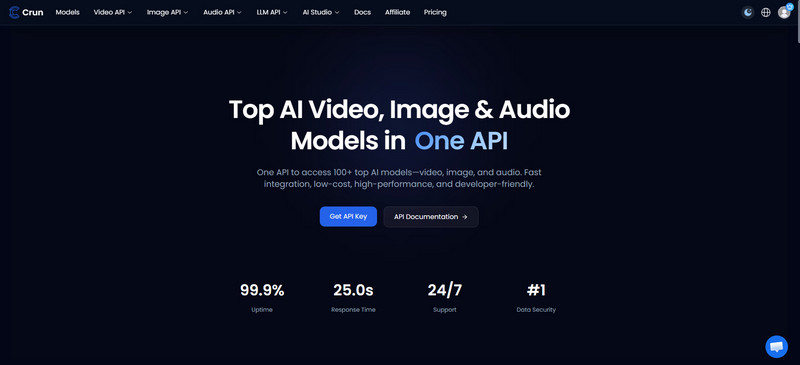
Key Features:
- Higher Compatibility: Browser-based image-to-video workflows, works perfectly on any devices, such as PC, Mac, Android, and iOS
- A Wide Range of Models: Access to multiple AI generation models for video, image, music, audio, and LLM
- High-quality Output: Produce cinematic images and videos up to 4K without watermark, with higher character consistency and lip syncing
- Multimodal Input: Support generating videos from text and images
- Free Tier: Provide the first-log-in users with 100 credits for free to test all features before purchasing
- API Usage Monitoring: Keep track of the API usage for specific model
- Pay-as-you-go Pricing Model: Allow users to purchase credits according to the needs
Pros:
- Convenient for comparing several models in one platform
- One subscription for multiple AI models
- Reduce dependence on one provider
- Useful for both occasional and frequent experiments
- Lower the cost of testing alternative workflows
- Flexible pricing plans
- API monitoring dashboard are useful for controling over the cost
- Provide API service
Cons:
- Newest models are being added
Pricing:
- Free tier is available with limited credits
- Credit-based mode
Who is it Suitable for:
- Agencies
- Marketers
- Creators
- YouTube automation channels
- Developers
- Production teams
2. Gemini Omni: Affordable but Less Powerful Alterantive
Gemini Omni is a cheaper alternative to Veo 3. If affordability matters more than absolute visual quality, Gemini Omni is worth considering.
While it generally doesn't match Veo 3 in cinematic realism, it performs surprisingly well for social media content, product demonstrations, and quick marketing videos. In our testing, its visual quality reached roughly 60% of Veo 3's level, but generation costs were substantially lower.
Key Features:
- Strong Understanding: Multimodal prompt and image understanding
- Quick Creation: Fast draft generation
- Great Integration: Integration with parts of the Gemini ecosystem
- Multilingual Input Language Support: Simple natural-language prompting
- Audio Capabilities: Generating audio in supported modes
- Low Testing Cost: Suitable for ideation and low-cost variations
- Conversational Editing: Support users to edit video through chat
Pros:
- Generally cheaper or easier to access than premium Veo modes
- Fast enough for storyboards and social media drafts
- Familiar Gemini-style interface
- Good semantic understanding for straightforward prompts
- Useful for deciding whether an idea deserves a premium render
- Conversational editing
Cons:
- Lower detail and motion stability in demanding scenes
- Character identity may drift
- Complex camera instructions can be simplified
- Product names and feature access are not always consistent
- May deliver only around 60% of Veo’s perceived quality in difficult cinematic tests
Pricing:
- Free trial
- Paid plan starting from $4.99/month, to $19.99/month, $99.99/month
Who is it Best for:
- Beginners
- Content marketers
- Small businesses
- Social media creators
- Rapid prototyping
3. Seedance 2.0: Similar Cost to Google Veo 3, Often Better Performance
Seedance 2.0 is one of the strongest direct Google Veo 3 competitors for creators prioritizing prompt adherence, dynamic movement and multi-shot consistency. If your goal is replacing Veo 3 entirely, Seedance 2.0 is currently the strongest option.
Its nominal cost may be similar to Veo 3 in comparable high-quality modes. However, it can provide better value when it produces the requested movement in fewer attempts. “Better” is still scene-dependent: Veo 3 can retain an advantage in certain photorealistic and audio-heavy shots.
Across nearly every benchmark we tested, Seedance consistently produced better prompt adherence, smoother action, stronger camera movement, and more reliable character consistency than Veo 3. Community testing on Reddit echoes this experience, with many users ranking Seedance above Veo for complex scenes.
Key Features:
- Multimodal Input: Text-to-video and image-to-video generation are supported
- Precise Motion Understanding: Strong subject and action understanding
- Excellent Character Consistency: Reference-based character and object control
- Dynamic Motion: Cinematic camera movement
- Multiple Shot Generation: Multi-shot or sequence-oriented workflows
- Native Audio Generation: Native audio in supported versions and interfaces
- Cinemic Visual Quality: Good performance with stylized and photorealistic content
Pros:
- Outstanding image consistency
- Accurate prompt following
- Smooth cinematic motion
- Professional camera control
- Strong physics simulation
Cons:
- Access can vary by region and provider
- Complex scenes may still show hand or object deformation
- Queues can slow high-quality rendering
- Moderation and licensing terms differ across platforms
- Advanced reference workflows have a learning curve
Pricing:
- Start at $9.60/month
Best for:
- Advertising agencies
- Professional filmmakers
- Storytelling
- Product videos
- Cinematic shorts
- Music-video producers
4. Kling AI: Powerful Video Generation with Restrictions
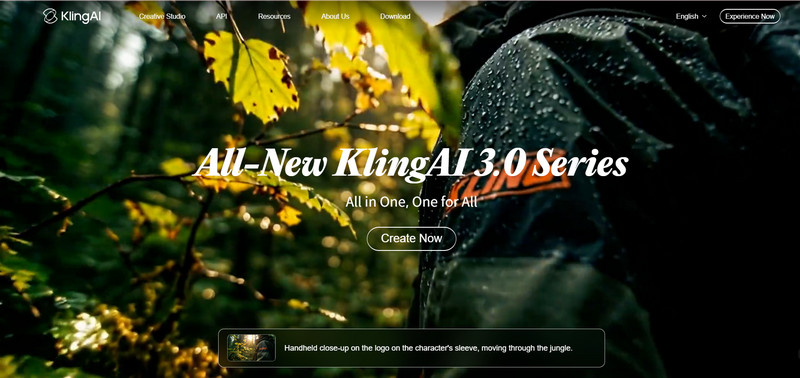
Kling is a mature Veo 3 alternative gives users free subscription enjoyment with strong image-to-video performance. It provides useful controls for motion, start and end frames, camera behavior and recurring visual elements.
Its disadvantages are primarily operational: credit restrictions, queues, regional differences, moderation rules and feature availability across plans.
Key Features:
- Video Generation Capabilities: Text-to-video and image-to-video generation
- Frame Control: Start-frame and end-frame control
- Motion Control: Motion and camera controls
- Reference Generation: Reference-image and element-based generation
- Audio Tool: Lip-sync and audio tools in supported versions
- Video Editor: Video extension and editing options
- Multiple Output Resolution: Create videos in 2K up to 4K with a duration of 15s
Pros:
- Excellent realism
- Long video generation
- Strong physics
Cons:
- Regional restrictions
- Slower rendering
- Queue times
- Generation limits
Pricing:
- From $6.99/month to $ 127.99/month; from $79.2 to $1429.99/year
Best for:
- Creators
- Designers
- Short-form video production
- Social media campaigns
5. Wan: Best Open-Source Veo 3 Alternative
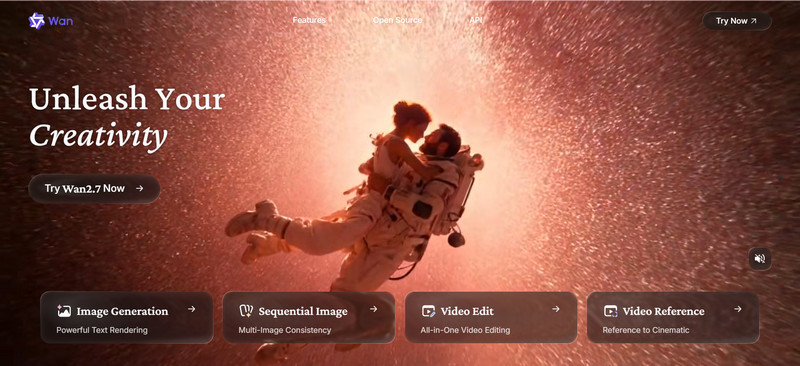
WAN is the leading option for anyone searching for a Veo 3 alternative free open source option. Developers often want more control than commercial platforms provide. That's where WAN stands out.
As an open-source video generation workflow, WAN allows developers to customize pipelines, fine-tune models, and deploy locally, making it ideal for experimentation and automation. While it may not consistently reach the polished quality of leading proprietary models, it offers unmatched flexibility.
Key Features:
- Open Source: Open or downloadable video-generation models
- Flexible Deployment: Local and cloud deployment
- Integration Capability: Integration with ComfyUI and similar node-based tools
- Powerful Video Generation: Text-to-video and image-to-video workflows
- Extension: LoRA, ControlNet-style and community extensions
- Customizable Settings: Adjustable seeds, samplers, resolution and frame settings
- Workflow Ability: Full workflow preservation
Pros:
- Free to use
- Local deployment
- Workflow customization
- No subscription lock-in
- Developer friendly
Cons:
- Technical setup required
- Quality depends on hardware, high-quality video needs substantial GPU memory and rendering time
- Longer learning curve
- Troubleshooting drivers and dependencies can be difficult
- Native audio is usually a separate workflow
- Local results depend heavily on hardware and settings
- Open weights do not eliminate electricity or cloud-GPU costs
Pricing:
- $6.5/month for Pro version and $26/month for Premium version
Best for:
- Developers
- Researchers
- AI engineers
- Open-source enthusiasts
6. Vidu: Best Alternative for Character Consistency
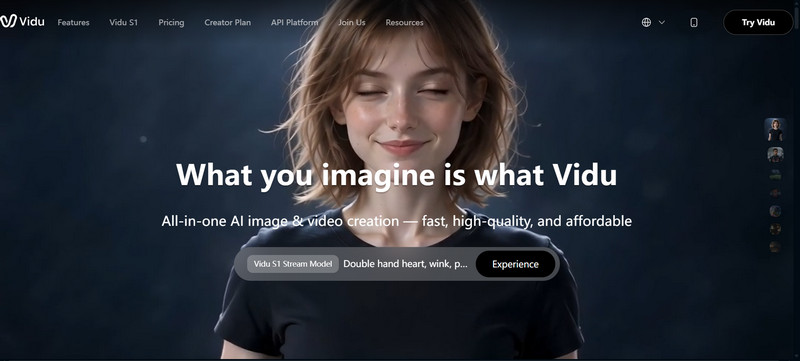
Vidu has quietly become one of the strongest options for creators producing multi-scene stories. Its reference-based workflow makes it particularly useful for stories involving the same people, products or visual elements across multiple shots.
Instead of depending entirely on a written description, users can provide references that anchor identity and appearance. This does not eliminate drift, but it can substantially improve continuity.
Key Features:
- Multiple Input Options: Reference-to-video and image-to-video generation
- Multi-references Support: Multiple visual references in supported modes
- Character Consistency: Character, object and style preservation
- Start and end-frame workflows: Better for Video Generation
- Fast Draft Generation: Suitable for teams
- Various Styles: Anime, illustration and photorealistic styles
- Growing Number of Effects: Template-based effects and social-media tools
Pros:
- Strong recurring-character consistency
- Good performance with anime and stylized visuals
- Fast and accessible interface
- Effective for product and mascot videos
- Useful for short narrative sequences
- Beginner-friendly reference workflow
Cons:
- Individual clips may remain relatively short
- Fast motion can introduce deformation
- Background details can change between scenes
- Audio support depends on the selected feature or version
- Credit costs increase with repeated high-quality renders
- Less cinematic in some scenes than Veo or Seedance
Pricing:
- Start at $8–$10/month
Best for:
- Storytelling creators
- AI influencers
- Brand marketing
- Educational videos
Comparison Between the Top 6 Veo 3 Alternatives, Which is Worth Trying
Are you still figuring out which AI video generator is worth considering? Take a look at this table.
| Alternative | Main Strength | Output Quality | Character Consistency | Camera Control | Native Audio | Cost Level | Main Limitation |
| Crun AI | Multi-model access | Depends on model | Depends on model | Depends on model | Model-dependent | Pay-as-you go(($0.05–$1.5/video)) | Not one standalone model |
| Gemini Omni | Fast, inexpensive drafts | Good | Fair | Fair | Supported in selected modes | $4.99/month, to $19.99/month, $99.99/month | Lower cinematic fidelity |
| Seedance 2.0 | Best direct performance competitor | Excellent | Very good | Very good | Yes in supported versions | $9.60 USD/month | Access and premium cost |
| Kling AI | Motion and explicit controls | Very good | Good | Very good | Version-dependent | $6.99–$127.99/mo | Credits, queues and restrictions |
| WAN | Open-source customization | Good–excellent | Workflow-dependent | Excellent | Usually separate | $6.5/month for Pro version and $26/month for Premium version | Hardware and technical setup |
| Vidu | Consistent characters | Very good | Excellent | Good | Feature-dependent | ~$8–$10/month | Short clips and motion artifacts |
Your ideal choice depends on your workflow, check the quick recommendations:
- Best overall platform: Crun AI
- Best premium direct competitor: Seedance 2.0
- Best for low-cost drafts: Gemini Omni
- Best for camera and motion controls: Kling AI
- Best free open-source option: WAN
- Best for recurring characters: Vidu
How We Picked These Google Veo 3 Alternatives
With dozens of AI video generators available in 2026, choosing the right alternative isn't just about visual quality. The best platform should consistently deliver high-quality videos while fitting your workflow, budget, and accessibility requirements.
To make this guide practical, we tested each platform using the same prompts and evaluation criteria. We also reviewed feedback from creators across Reddit, YouTube, and AI creator communities to identify the strengths and weaknesses that matter most in real-world production. Our evaluation focused on the factors creators care about most.
1. High-quality Output
The first criterion was simple: Does the video look professional?
We evaluated:
- Image sharpness
- Lighting quality
- Motion realism
- Scene composition
- Texture consistency
- Cinematic feel
While Google Veo 3 still produces some of the most visually impressive clips, models like Seedance 2.0 have caught up and in some cases surpassed Veo in action sequences and dynamic camera movements.
2. Character Consistency and Lip Sync
One of the biggest frustrations in AI video generation is maintaining the same character across multiple scenes.
We tested whether each model could preserve:
- Facial identity
- Hairstyles
- Clothing
- Accessories
- Body proportions
- Expressions
We also evaluated lip synchronization for models that support dialogue or native audio.
Among the tools we tested:
- Vidu delivered the strongest identity preservation.
- Seedance 2.0 closely followed with reliable multi-shot consistency.
- Gemini Omni performed well in single-shot videos but occasionally struggled with longer sequences.
3. Prompt Adherence
Does the generated video accurately reflect the user's instructions?
Prompt following has become increasingly important as creators write more detailed instructions.
Our benchmark prompt included:
- Subject description
- Environment
- Lighting
- Camera movement
- Emotion
- Object interactions
- Weather
- Background activity
We compared how accurately each model followed these instructions without introducing unexpected elements.
The strongest performers were:
- Seedance 2.0
- Veo 3
- Gemini Omni
- Vidu
Models that frequently ignored camera instructions or altered the scene ranked lower.
4. Better Camera Control
Professional creators often need precise camera movements rather than random cinematic effects.
We evaluated support for:
- Dolly in
- Dolly out
- Orbit shots
- Crane shots
- Tracking shots
- Push-ins
- Pull-outs
- Slow zoom
- Handheld effects
Seedance 2.0 consistently offered the most reliable camera execution, while Kling AI also produced impressive cinematic movement for creative projects.
5. Affordable Price
Cost per usable video is often more important than cost per generation.
6. Image and Video Generation Capabilities
Some creators only need image-to-video generation.
Others need:
- Text-to-video
- Image editing
- Reference image support
- Video extension
- Style transfer
- Multi-scene generation
Platforms supporting multiple workflows naturally ranked higher because they reduce the need to switch between different tools.
7. Fast Rendering
Faster rendering enables quicker iteration and higher productivity.
Waiting several minutes for each generation quickly slows down production.
We measured:
- Average generation time
- Queue consistency
- Retry frequency
- Export speed
Gemini Omni and Crun AI generally delivered the fastest turnaround in our testing, making them well suited for creators producing content at scale.
8. Fast Rendering
We favored platforms that provide clear usage policies and are suitable for commercial content creation.
Commercial users should always consider a platform's licensing and content policies.
We favored providers that offer:
- Clear commercial-use rights
- Transparent usage policies
- Responsible AI safeguards
- Stable API access
Using platforms that clearly define ownership and commercial licensing reduces legal uncertainty for businesses and agencies.
9. Broader Accessibility
Creators benefit from platforms that are available globally and do not require restrictive regional access or expensive subscription tiers.
A recurring complaint on Reddit is that Google Veo isn't available everywhere or requires specific subscriptions.
Several users also mentioned challenges related to payment methods or waiting lists.
We therefore gave higher rankings to platforms that:
- Support more countries
- Offer flexible payment options
- Don't require joining a waitlist
- Allow pay-as-you-go usage
- Provide browser-based access
For international creators, accessibility can be just as important as output quality.
FAQs about Veo 3 Alternatives
Why Look for a Veo 3 Alternative?
Many creators seek alternatives because they want lower costs, more predictable results, broader availability, or features such as stronger character consistency and faster iteration. Discussions on Reddit frequently mention concerns about prompt reliability, multiple retries, and access restrictions.
What Is the Best Alternative to Veo 3 in 2026?
The answer depends on your priorities.
For professional-quality videos:
Seedance 2.0 offers exceptional cinematic quality, strong camera control, and excellent prompt adherence.
For accessing multiple leading models in one place:
Crun AI is a practical choice because it allows creators to compare different video models without maintaining separate subscriptions.
For budget-conscious creators:
Gemini Omni provides solid performance at a lower cost, making it ideal for rapid content production.
For developers and researchers:
WAN is the strongest open-source option.
For storytelling and AI influencers:
Vidu stands out with its consistent character generation across scenes.
Is There a Free Google Veo 3 Alternative?
Yes. Some platforms offer:
- Free daily credits
- Free trial generations
- Limited monthly usage
- Open-source deployment
If you're looking for a free option, consider:
- WAN (open source)
- Vidu (free trial)
- Kling AI (limited free credits)
Keep in mind that free plans often have limitations on video length, resolution, or daily usage.
Which Veo 3 Alternative Supports Creating Longer Videos?
Kling AI is known for supporting longer video generation than many competitors. Depending on updates and subscription plans, other platforms are also extending supported video duration, so it's worth checking current limits before starting a project.
Which Veo 3 Alternative Has Native Audio?
Google Veo remains one of the strongest options for integrated audio generation. Some newer models are beginning to introduce native audio capabilities, but support and quality vary. If synchronized sound is critical to your workflow, compare this feature carefully before choosing a model.
Is Crun AI Cheaper than a Google AI Subscription for Veo?
For creators who regularly experiment with multiple AI models, Crun AI can be more cost-effective because it lets you access different video generation models through a unified credit system. Rather than paying separate subscriptions for different ecosystems, you can choose the model that best fits each project, potentially reducing overall production costs.
Conclusion: Which Veo 3 Alternative Is Right for You in 2026?
Ultimately, the best Veo 3 alternative depends on how you create content.
If you're focused on high-end commercial production, Seedance 2.0 is one of the strongest Veo 3 alternatives available today. If you need budget-friendly experimentation, Gemini Omni offers an affordable entry point, although it may not match Veo's visual quality. Developers and technical users who value flexibility should consider Wan, while Vidu excels in maintaining consistent characters across scenes. Kling AI remains a solid choice for realistic motion, provided its regional and usage restrictions fit your needs.
For creators, agencies, and businesses who don't want to be locked into a single model, Crun AI provides a practical solution by bringing multiple leading AI video models together on one platform. As the AI video landscape continues to evolve, having the flexibility to compare and switch between models may become just as valuable as choosing the "best" model itself.
More Related Articles
Learn more alternatives for AI image and video generation.
- 7 Best Vidu AI Alternatives for Animation Generation in 2026 (Free and Paid Options) >>Searching for the best Vidu alternatives? Discover 7 best AI video generators for animation in 2026 with features, pricing, and use cases comparisons. >>
- 7 Best Runway Alternatives for AI Video Generation in 2026 (Tested & Ranked) >>Are you looking for a reliable Runway alternative that can generate good image to video (5 to 10 seconds)? In this guide, we’ve tested and ranked the 7 best Runway alternatives in 2026 for amazing video generation from text, images or videos, including free, open source options. >>
- 9 Best Kling AI Alternatives for Image to Video Generation in 2026 (100% Working) >>Looking for the best Kling AI alternative in 2026? In this guide, we tested and ranked the 9 best Kling AI alternatives in 2026, including free options, open-source tools, and professional AI video generators. >>
- 7 Best Sora 2 Alternatives for AI Video Generation in 2026 without Invite code or Restriction >>If you are looking for a Sora 2 free alternative, you've come to the right place. In this article, we just tested and collected 7 best Sora 2 alternatives without restriction or invite code in 2026. >>
 6 Best Grok Imagine Alternatives for AI Image & Video Generation in 2026 (Safe and Stable) >>Wondering which Veo 3 alternative is best in 2026? We tested 6 AI video models for quality, consistency, pricing, and speed to find the top Veo 3 replacements. >>

With over 10 years of experience in the IT industry and technology writing, she specializes in delivering clear, practical insights into emerging technologies. Her expertise lies in AIGC, where she is dedicated to helping users navigate complex tools and workflows with professional, easy-to-follow solutions.
